Installing Arrangement Microservice in AWS
This section helps you to install the Arrangement Microservice in AWS.
Procedure:
- Copy the generated zip file (from target folder) in the installation directory.
- Extract the file.
- In AWS command line, navigate to the installation directory.
- To make the microservice up and running, execute install-aws.sh shell file.
- To set up the AWS environment, modify the region information in the install-aws.sh script specific to your installation.
-
EXAMPLE:
- region us-west-2
- event-source-arn arn:aws:kinesis:us-west-2
- Uri arn:aws:apigateway:us-west-2:lambda:path/2015-03-31/functions/arn:aws:lambda:us-west-2
Once the installation is done, you will get the Base URL for testing API.
- Post-installation login to AWS portal.
- Verify if the Lambda gateway is properly created.

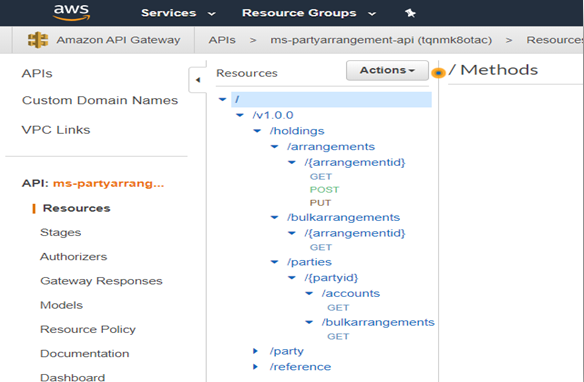
- Verify if the API gateway is properly created.
 NOTE: Before installation, check if python and Jq framework is installed in the system.

In this topic
