Installing Holdings Microservice in Azure
This section helps you to install the Holding Microservice in Azure.
Procedure:
- Create the HOLDINGS_SERVICE_HOME directory
- Extract the ms-holdings-package-azure-<release>.zip release bundle file into the HOLDINGS_SERVICE_HOME directory.
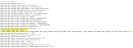
- To make the microservice up and running, execute the below command to create AZURE resources,
- Windows: install.bat
- Linux: install.sh
- To enable JWT token filter in AZURE,
- Create a new (or) use an existing API Management Services
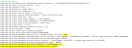
- Under the APIs section, add a new API using function-app
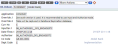
- In each of the operations, edit the policy available under Inbound processing section,
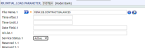
A sample policy which takes the subject claim and add it in a header variable userId is shown below,
<policies>
    <inbound>
        <base />
        <validate-jwt header-name="Authorization" failed-validation-httpcode="401" failed-validation-error-message="Unauthorized Access" require-expiration-time="true" require-signed-tokens="true" output-token-variable-name="jwt">
            <issuer-signing-keys>
                <key>dmVyeXZlcnl2ZXJ5dmVyeWxvbmdwYXNzd29yZA==</key>
            </issuer-signing-keys>
            <issuers>
                <issuer>https://localhost:9443/oauth2/token</issuer>
            </issuers>
        </validate-jwt>
        <set-header name="userId" exists-action="override">
            <value>@(context.Request.Headers["Authorization"].First().Split(' ')[0].AsJwt()?.Claims.GetValueOrDefault("sub", "NOUserId"))</value>
        </set-header>
        <set-backend-service id="apim-generated-policy" backend-id="holdingsapp" />
    </inbound>
    <backend>
        <base />
    </backend>
    <outbound>
        <base />
    </outbound>
    <on-error>
        <base />
    </on-error>
</policies>
Sample URLs are provided below.
Method
URL
Query-Param
Header-Param
GET
https://microservicejwt.azure-api.net/holdingsapp/v1.0.0/holdings/accounts/{accountId}/balances
subscription-Key
Authorization
GET
https://microservicejwt.azure-api.net/holdingsapp/v1.0.0/holdings/accounts/balances
subscription-Key
Authorization
GET
https://microservicejwt.azure-api.net/holdingsapp/v1.0.0/holdings/accounts/{accountId}/transactions
subscription-Key
Authorization
GET
https://microservicejwt.azure-api.net/holdingsapp/v1.0.0/holdings/accounts/transactions
subscription-Key
Authorization
- Create a new (or) use an existing API Management Services
- Configure the environment variables available in configuration section of the function-app as follows.
Variable Name
Variable Value
Description
temn_runtime_env
AZURE
Specifying the runtime environment as AZURE
POLICY_CALLBACK_ENABLED
true
Enabling the policy callback mechanism
PDP_CONFIG
classpath:xacml/holdings-pdp-callback-config.xml
Mapping the pdp-callback configuration file available in classpath
temn_msf_security_authz_xacml_policyset_id
default,BalanceViewer,StatementsViewer,Payments_Domestic_creator
Policy ID names stored in generic-config database
temn_config_service_base_path
https://genericconfigapp.azurewebsites.net/api/v1.0.0
Generic-Config microservice end point base URL
temn_config_service_resource_path
system/configurationGroups/{groupId}/configuration/{configName}
Generic-Config microservice resource path to get by Config-Name
temn_config_service_api_key
/nR6UxFip5X8Dkab7ZVPtfMjTaQX7sXT13beeKLGypwIiCHl9bFhwQ==
Generic-Config microservice API_KEY value
temn_entitlement_service_base_path
https://entitlementsapp.azurewebsites.net/api/v1.0.0
Entitlement microservice endpoint base URL
temn_entitlement_service_resource_path
/system/entitlements/resources/users/{userId}
Entitlement microservice resource path
temn_entitlement_service_api_key
uhrGfNOiVzLJGOXI5AiBISkkBtSZwy3T8Tn5w/E3xCUpUeszZ1naQw==
Entitlement microservice API_KEY value
EXECUTION_ENVIRONMENT
TEST
Remove this variable so that, actual API will call out
- To stop and remove the existing resources, execute the below command,
- Windows: Destroy.bat
- Linux: Destroy.sh


In this topic
