Installing Marketing Catalog Microservices in Docker
This section helps you to install the Marketing Catalog Microservice in Docker (On-Premise).
The prerequisites before you deploy microservice in Docker are:
- Install Docker engine in the deployment environment (See Get Docker)
- Turn on Linux containers in docker
Procedure:
- Unzip the ms-marketingcatalog-package-docker-<release_number>.zip file.

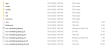
- Extracted package contains the configuration files for the docker and the respective bat and sh files.
- Enable JWT Authentication in both ms-marketingcatalog.yml and ms-marketingcatalog-pit.yml.
Environment Variable
Description
Example
temn.msf.schema.registry.url
URL of the schema registry
http://localhost:8081
HTTP_BASE_PATH
Base path of the IRF provider container
http://<IP>:<PORT>/irf-provider-container/api/v1.0.0/
HTTP_RESOURCE_PATH
Resource path of IRIS API used by marketing catalog microservice - "product/{productId}/productConditions"
product/{productId}/productConditions
- Navigate from the command prompt to the directory where the .bat and .sh files are available and execute the following command, which creates an image and docker container for that image.
- For Windows : ms-marketingcatalog.bat/ms-marketingcatalog-pit.bat up --build -d
- For Linux : ms-marketingcatalog.sh/ms-marketingcatalog-pit.sh up --build -d
Script Description ms-marketingcatalog.bat / ms-marketingcatalog.sh To deploy all the necessary components for a microservice including streaming services will be deployed, in order to run the microservice independently. ms-marketingcatalog-pit.bat / ms-marketingcatalog-pit.sh To deploy only the components necessary for microservice. Data Event Streaming (DES) is presumed to deployed and running already. The streaming services will not be deployed. After the successful deployment database, collections and the reference data (master data) are loaded into the mongo database for Marketing Catalog microservice.
- Once the marketing catalog microservice is up and running in docker, check the APIs in the package.


The format of API's URL is given below:
- Base Path
http://<IP_ADDRESS>:<PORT>/<context-root>/api/<version>/
For Example: http://localhost:8002/ms-marketingcatalog-api/api/v1.0.0/
- Resource path of the endpoint can be found in the APIs document. A sample endpoint of Marketing Catalog is http://localhost:8002/ms-marketingcatalog-api/api/v1.0.0/product/products/marketingCatalogue.
Undeploying Microservices
To stop and remove the existing container, execute the following command from the location where the marketing catalog docker is started.
- For Windows : ms-marketingcatalog.bat/ms-marketingcatalog-pit.bat down
- For Linux : ms-marketingcatalog.sh/ms-marketingcatalog-pit.sh down
In this topic
