Alerts
Alerts is a notification service that detects the modifications and sends alerts to the customers when an activity is performed. This application provides the capability to define alert groups under a selected category and add corresponding alerts for the associated alert group, activate or deactivate alerts categories or corresponding alert groups, and select the channels to deliver the alerts to the customers.
NOTE: There is a direct integration with Transact. Any event that happens in Transact will directly shift to Infinity Spotlight and check for the respective customer account and the type of alert that is configured like Email/SMS, etc. Depending on the configuration, such alerts will be triggered to the respective devices.
There are different types of alerts that you can configure. One such alerts is Account alerts:
- Account Alerts - If you have multiple accounts, you can configure alerts to any specific account.
Menu path: Alerts
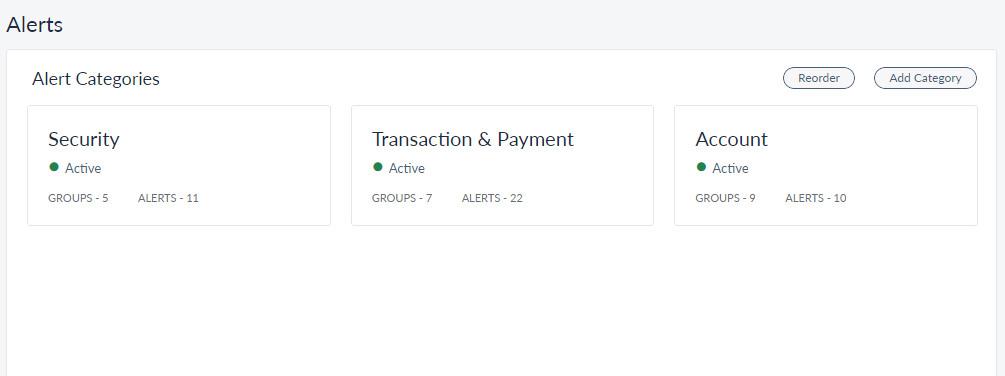
For Wealth, alerts can be set at customer level as well as account level. Customer level alerts can be created by choosing multiple accounts of the customer in Spotlight.
To view a specific account type alert, click on Alerts present on the left-hand panel.
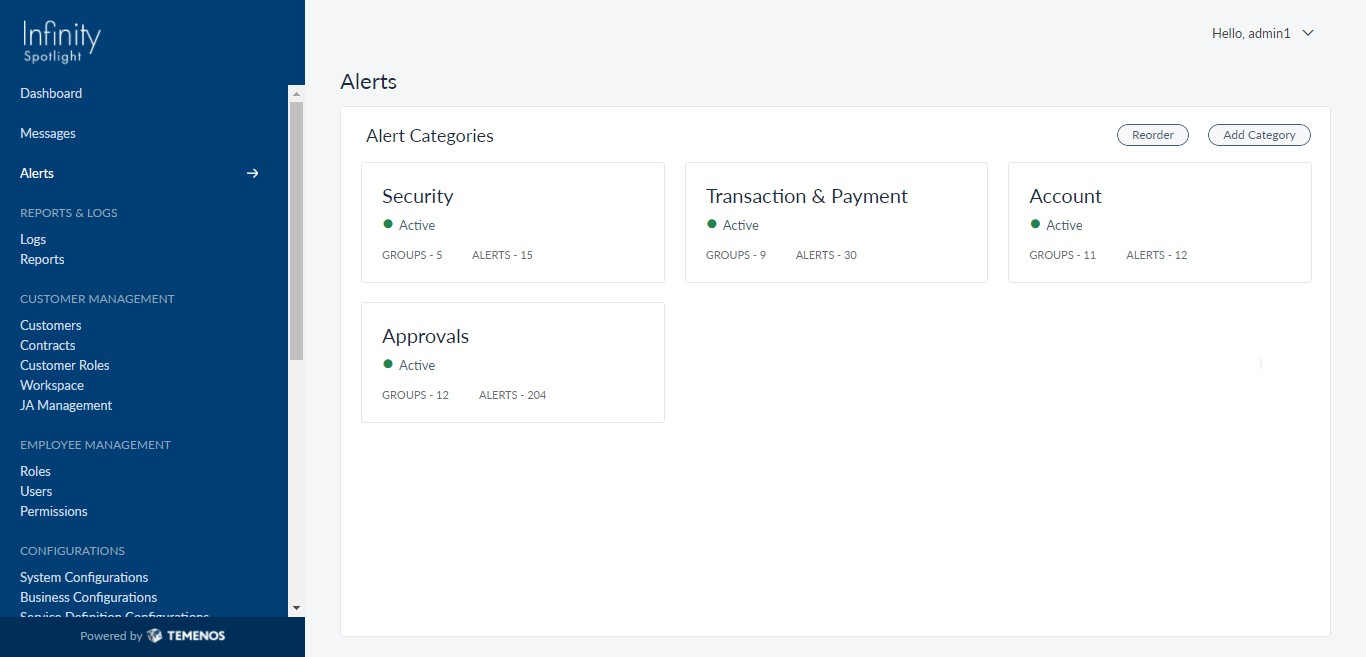
Click on Account present on the right-hand corner. This shows all the accounts present.
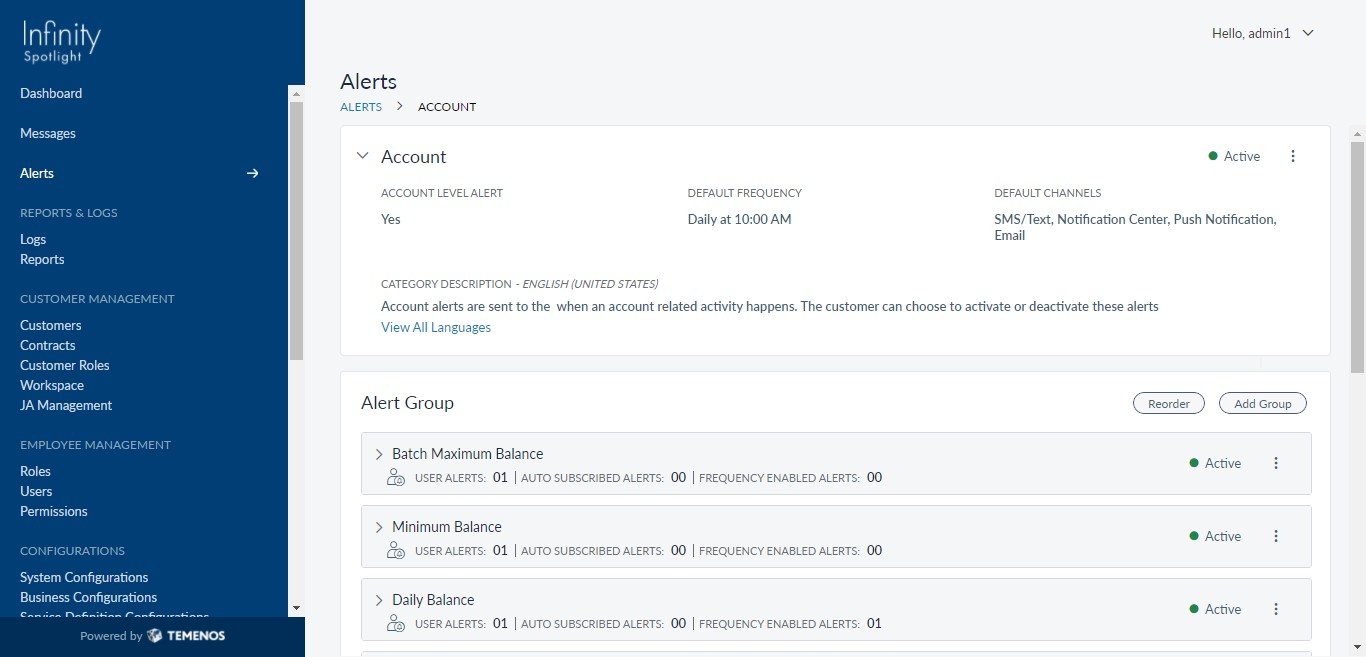
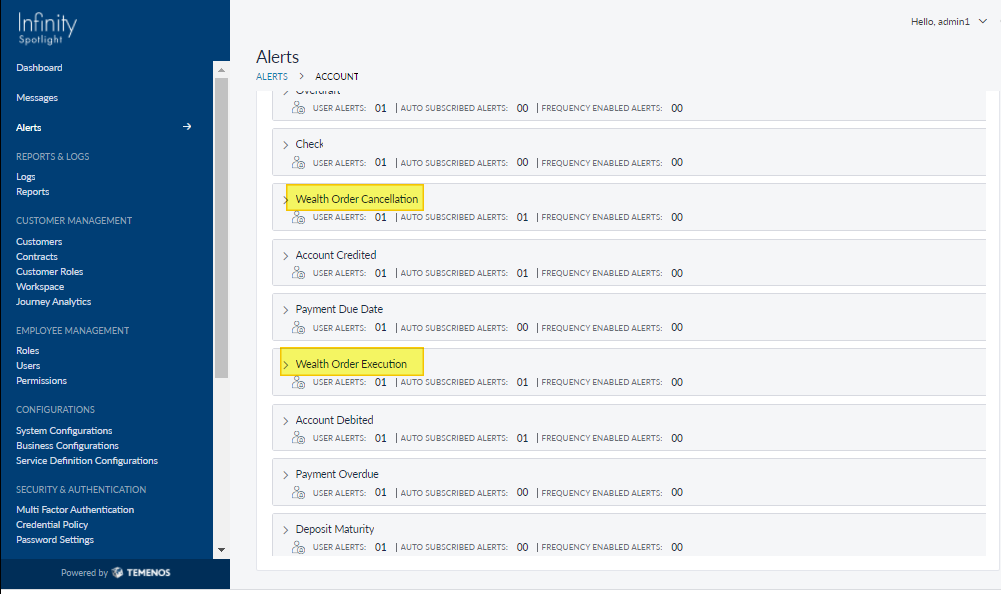
For Wealth, let’s consider few such examples:
- Wealth Order Execution:
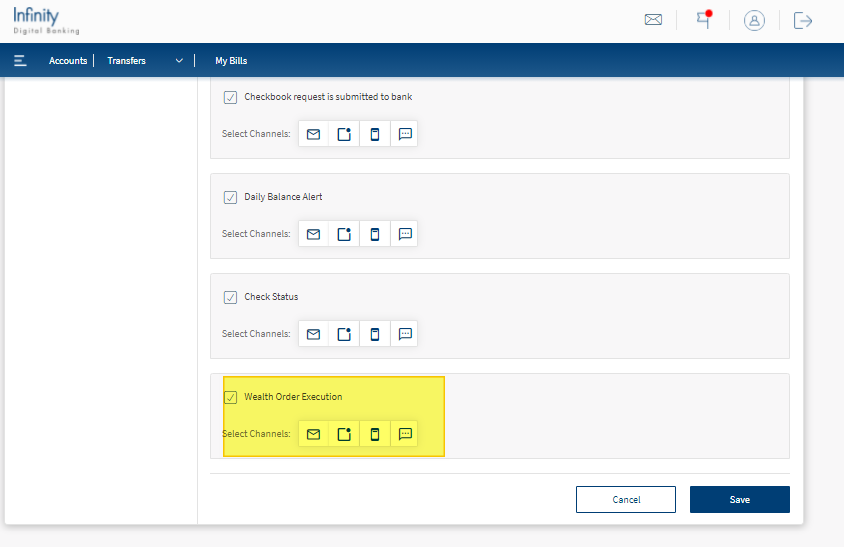
- Click on Wealth Order Execution option. By clicking this, all the necessary information related to it is populated.
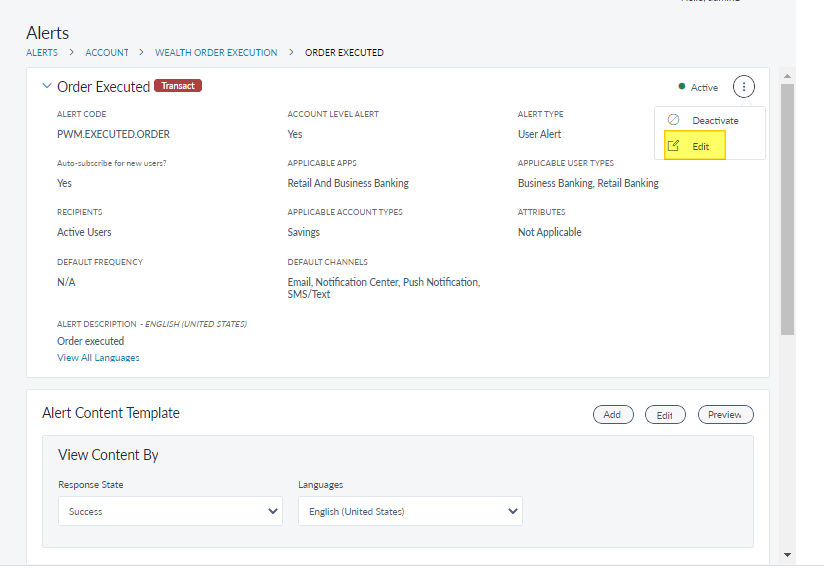
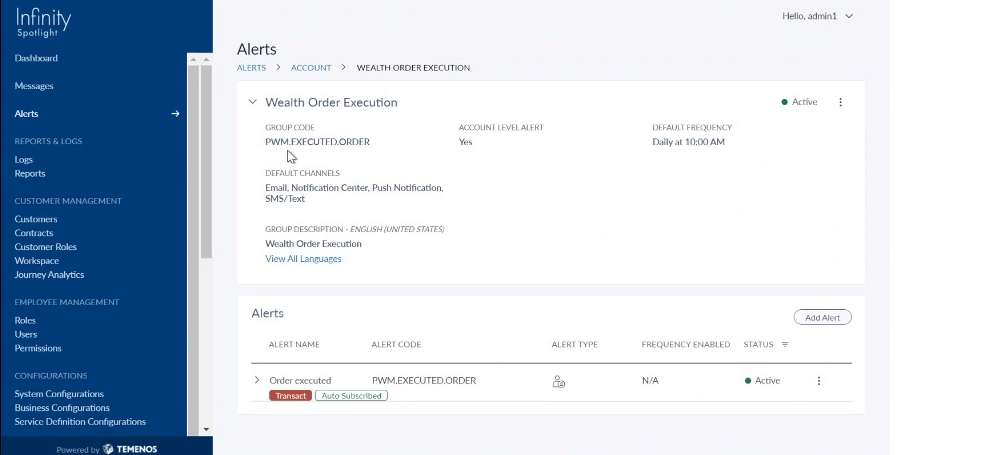
- Enable Alerts for specific Account Type available by clicking on Edit present at the right-hand corner.
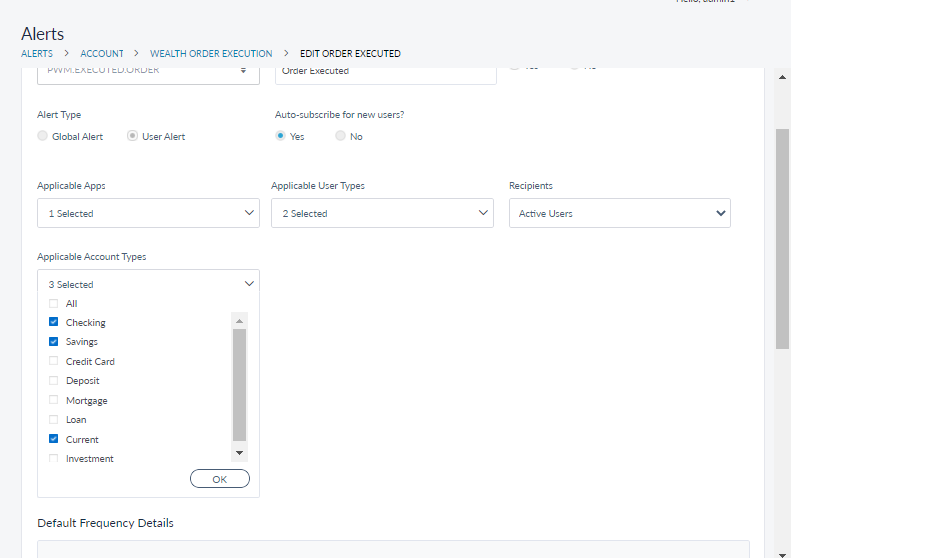
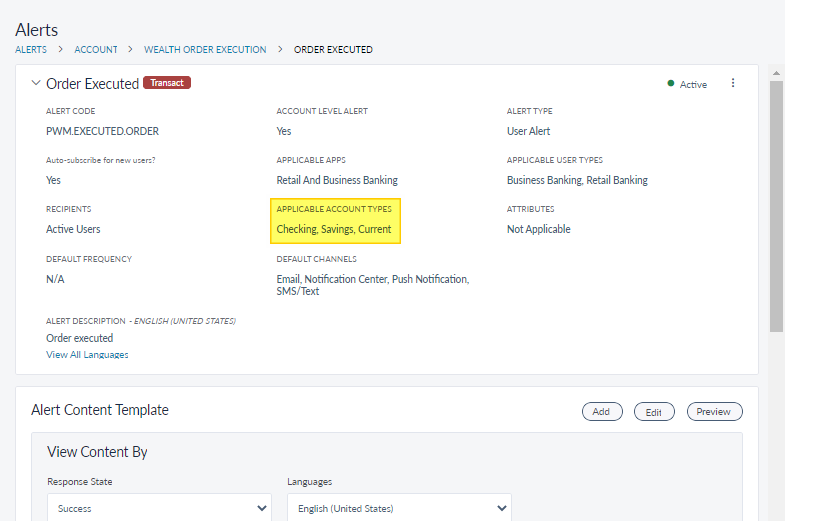
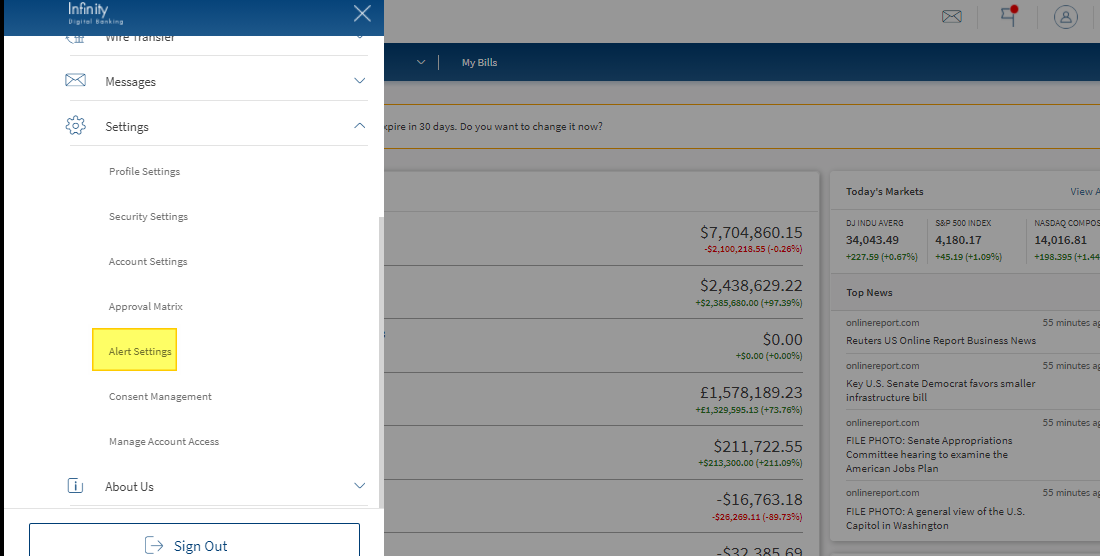
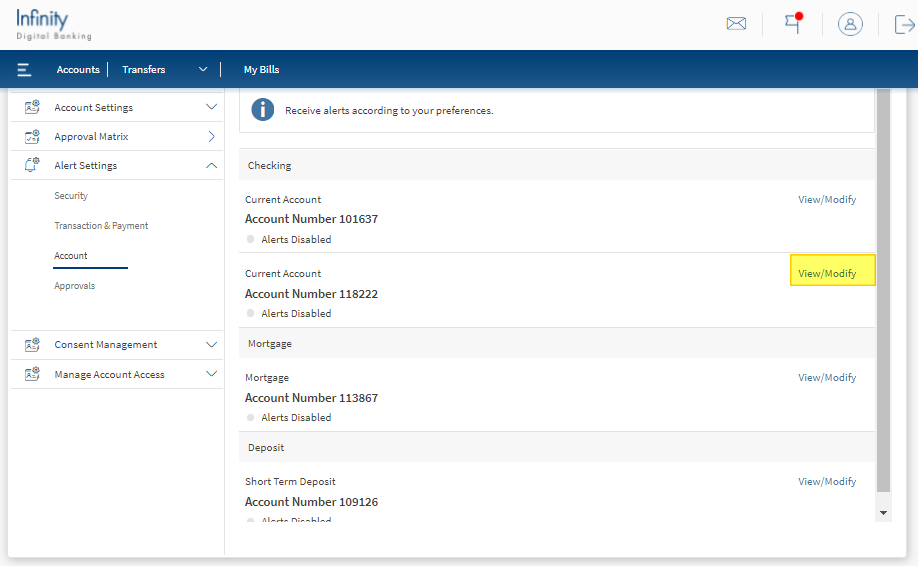
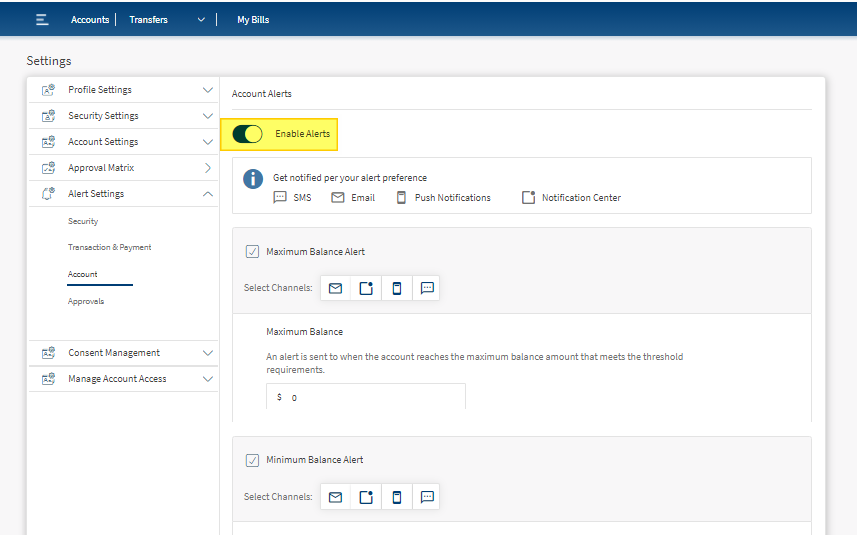
- Now enable Alerts for the specific Account available in OLB and follow the steps shown in the screenshots below.
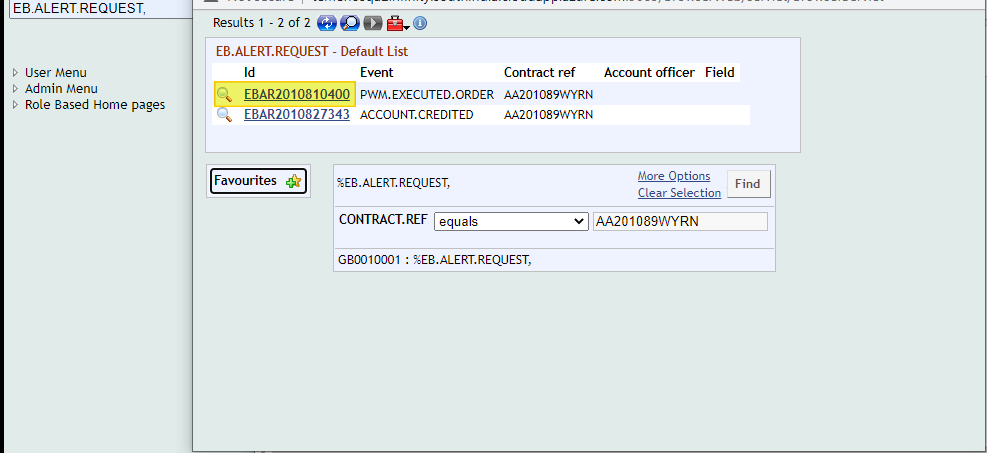
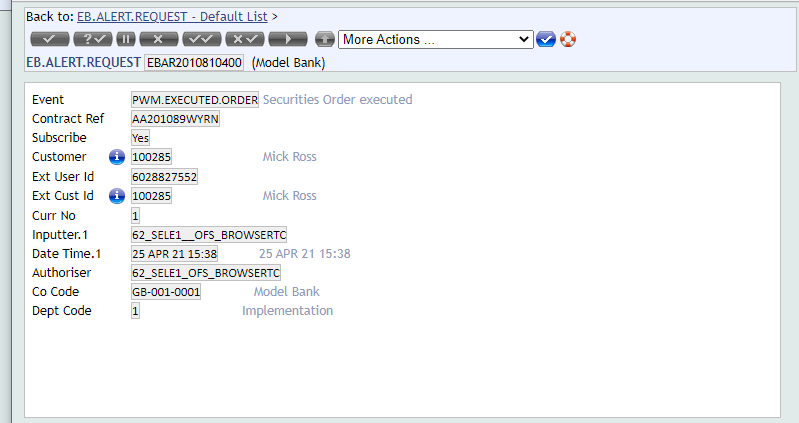
- Once the alerts are enabled, this will create a record in EB.ALERT.REQUEST in Transact.
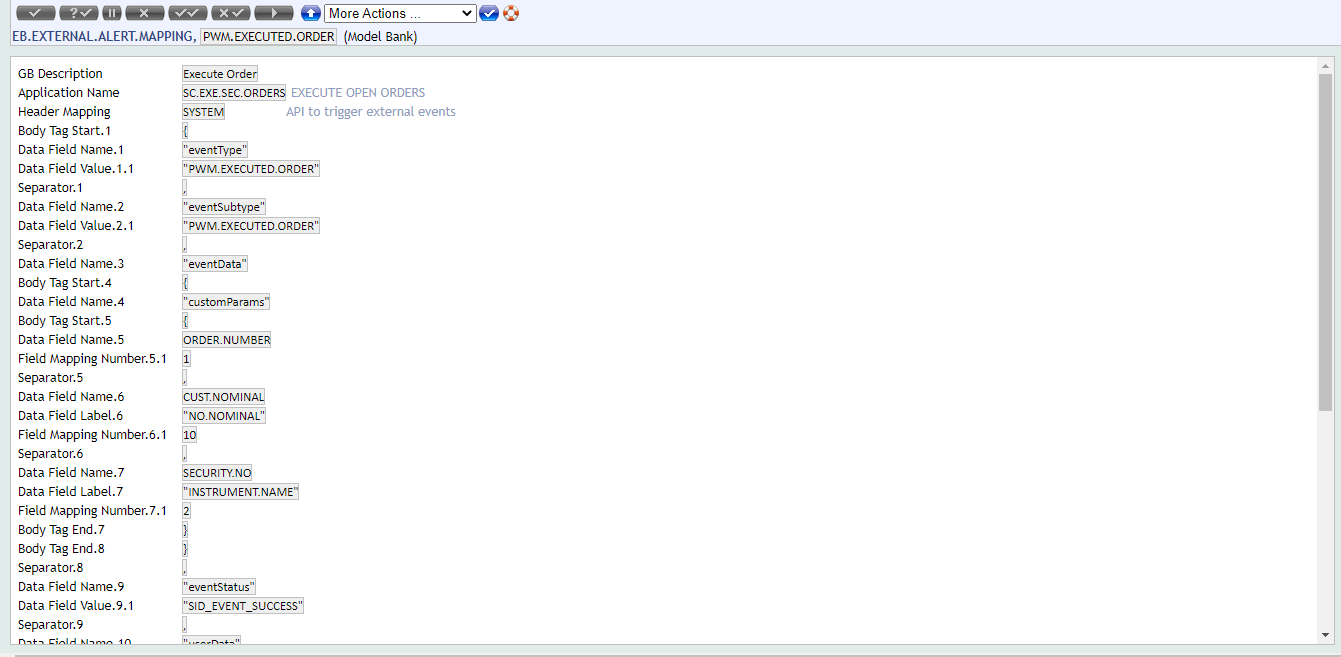
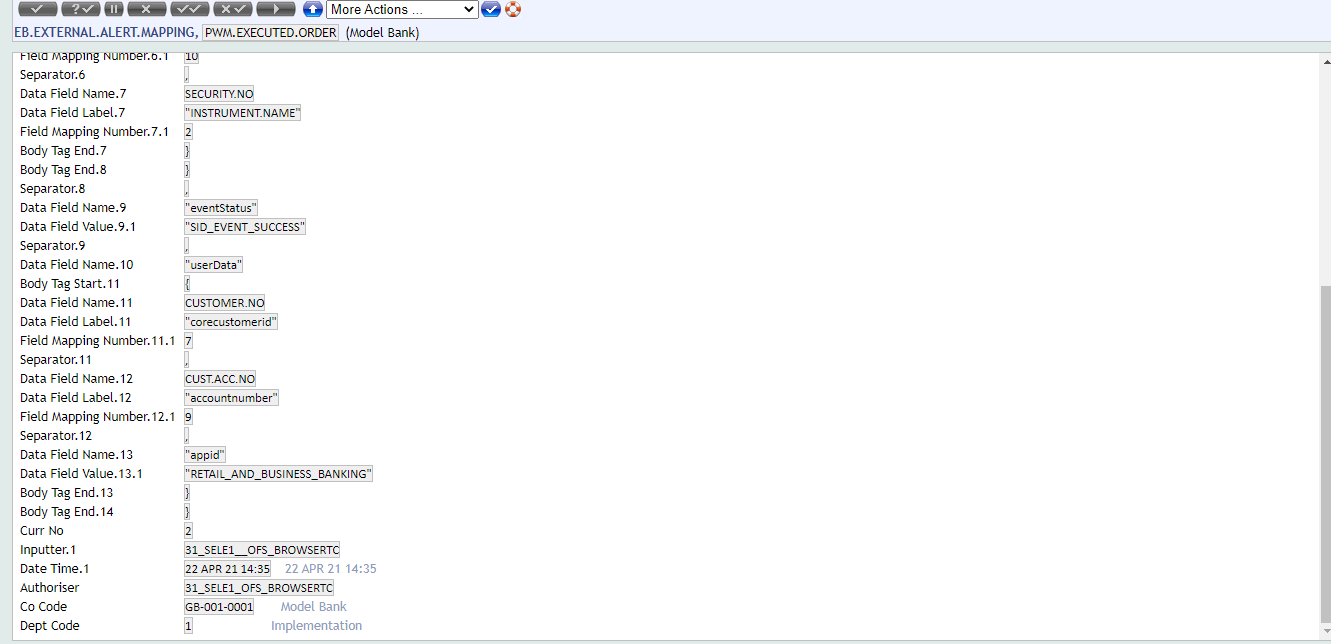
- Configure the request payload in EB.EXTERNAL.ALERT.MAPPING application.
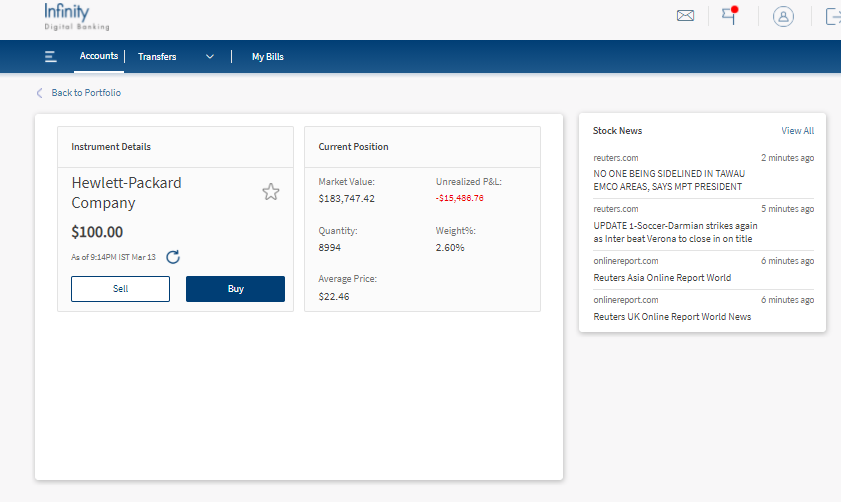
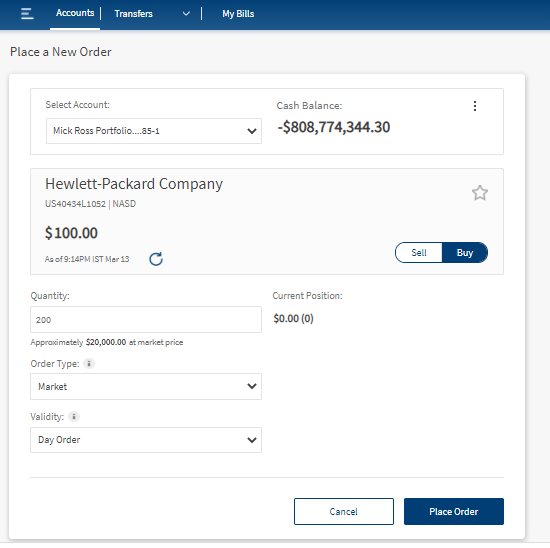
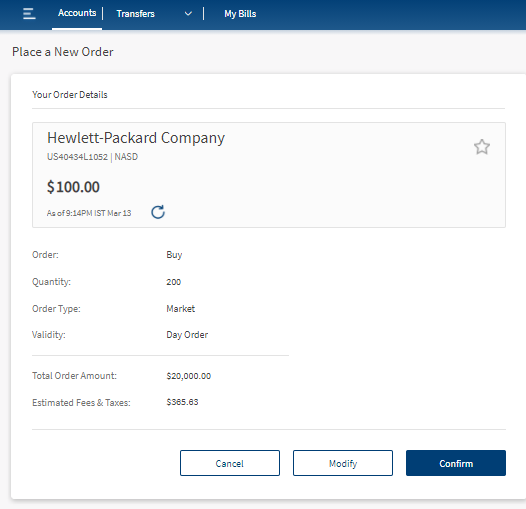
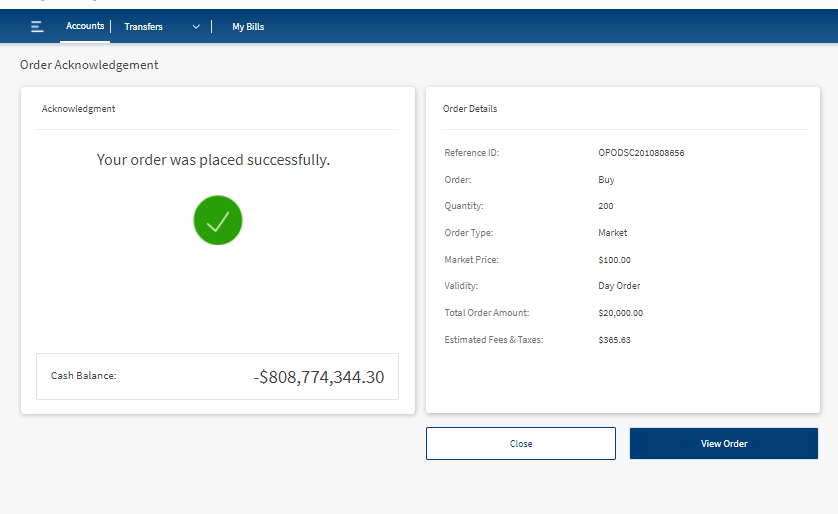
- You can now create an Order from Infinity by following the below mentioned steps shown in the screenshots.
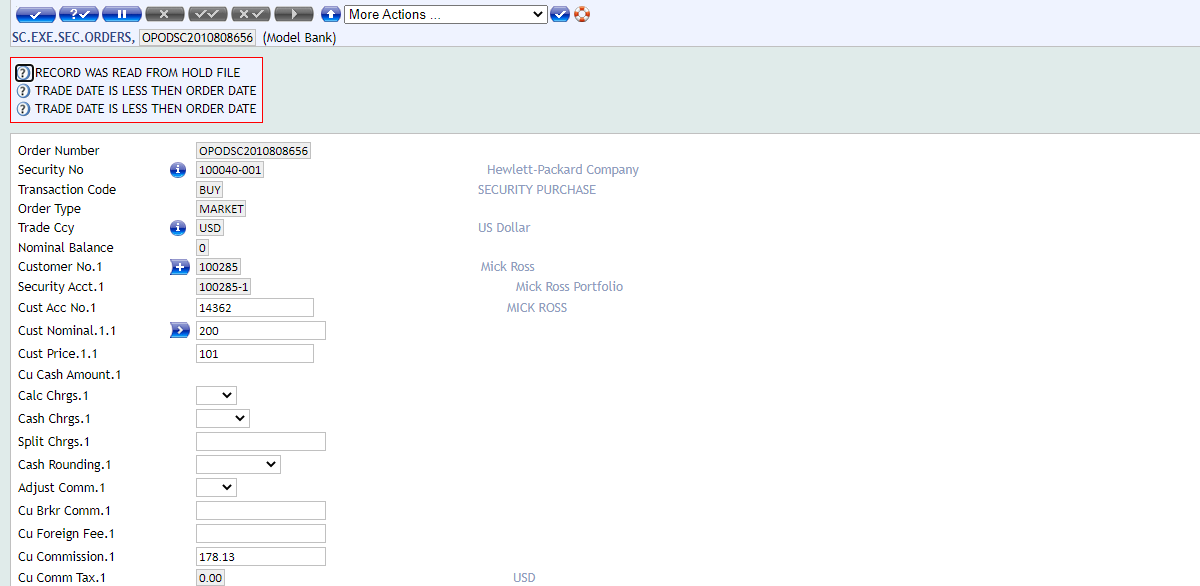
- After following all these steps, it’s time to execute the Order in Transact.
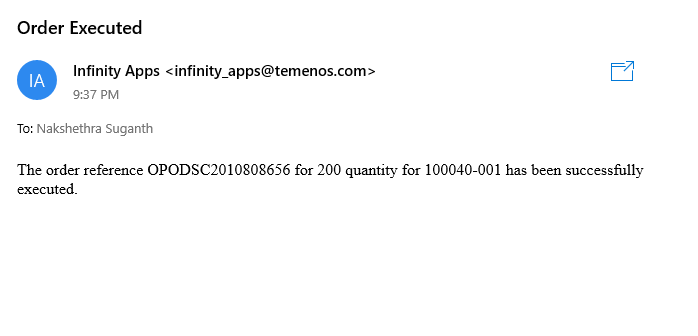
- Finally, an Alert will be triggered to the Customer.
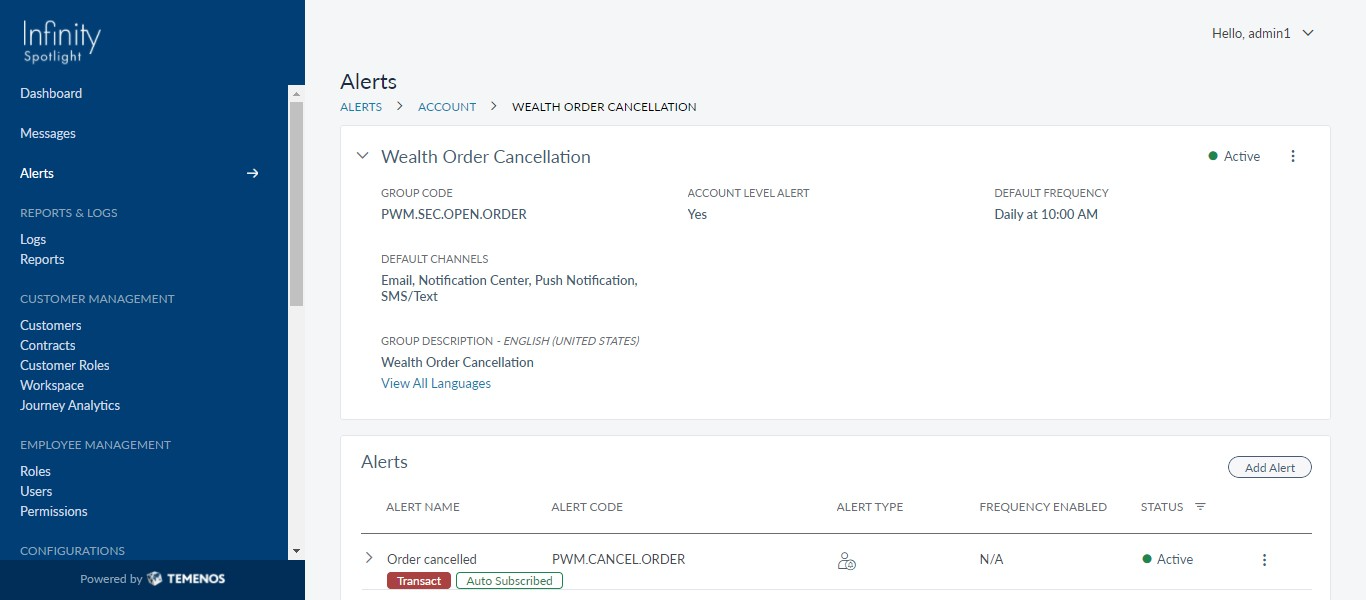
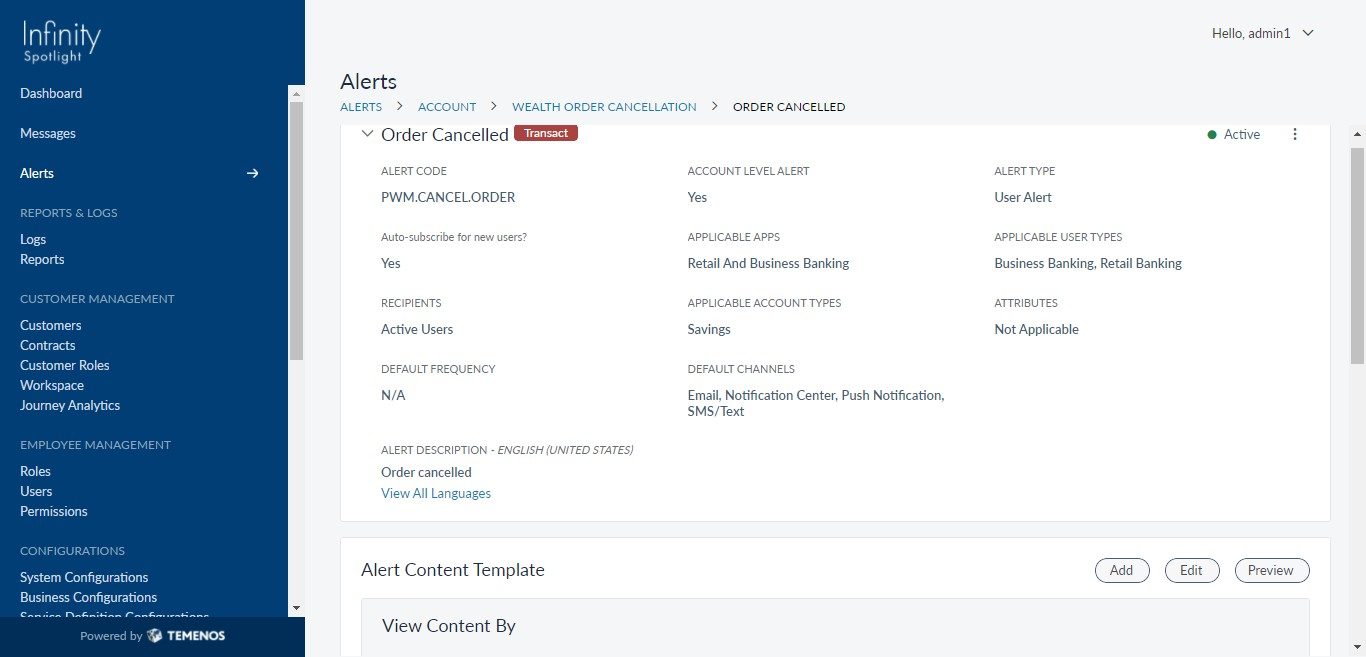
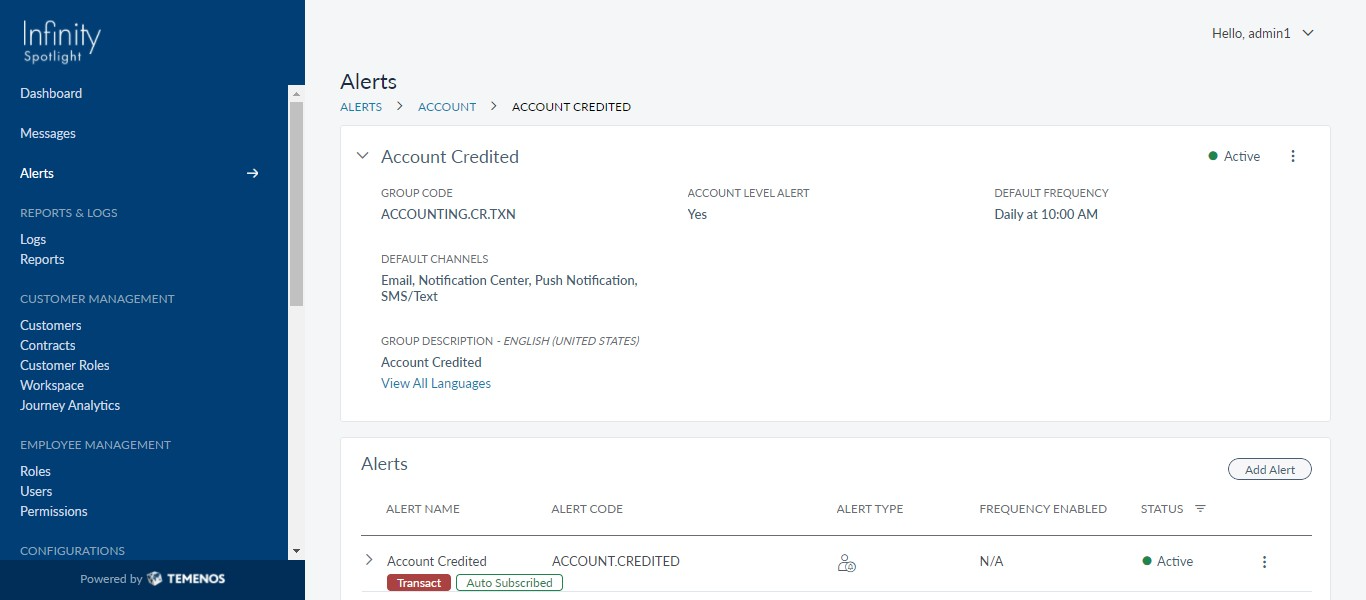
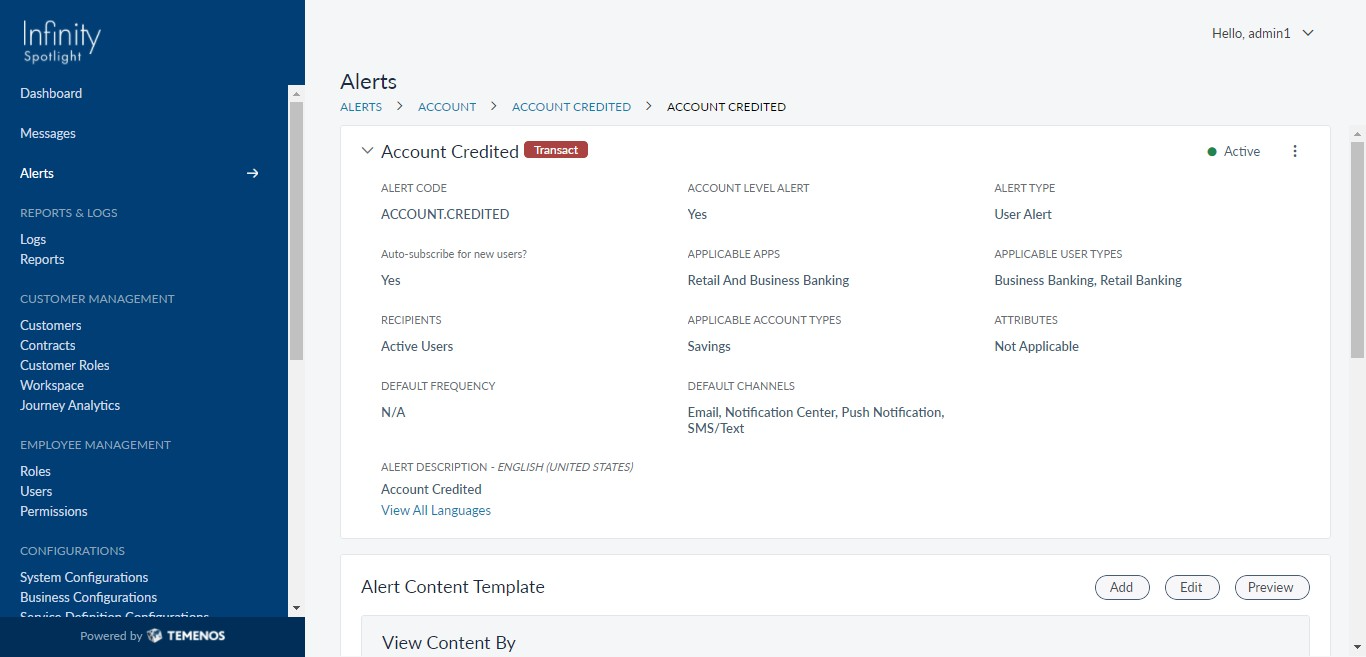
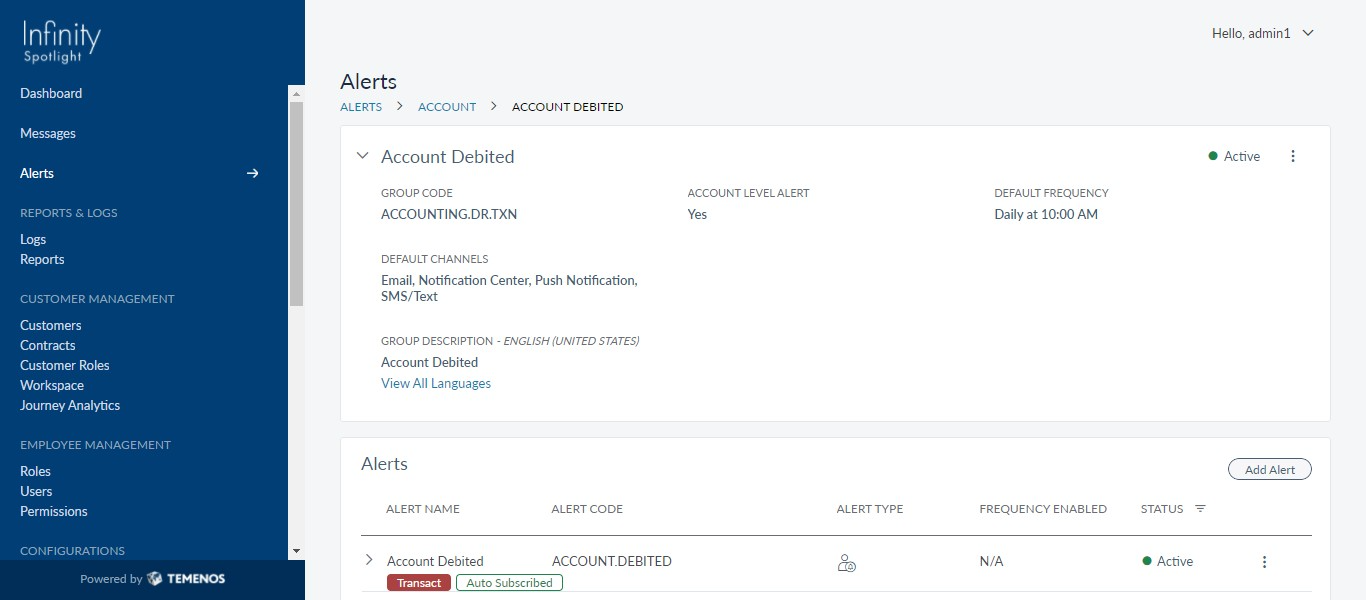
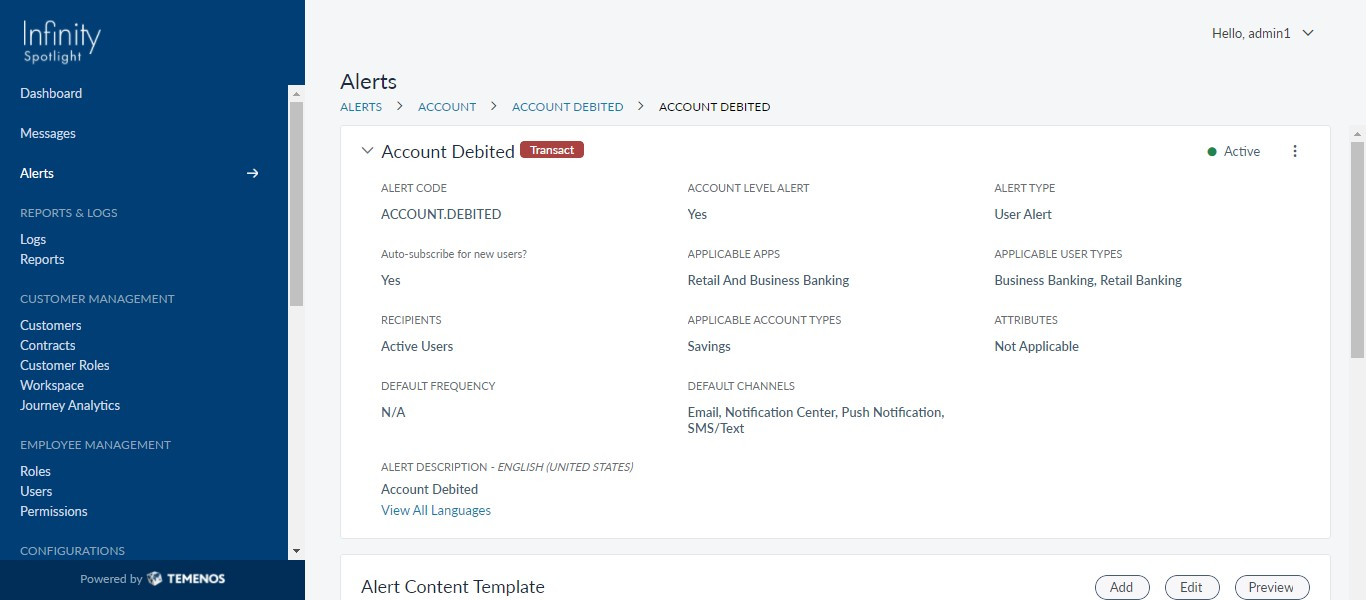
- In a similar way, Wealth Order Cancellation, Account Credited, Account Debited flows can be carried out.
- Wealth Order Cancellation
- Account Credited
- Account Debited
In this topic
