SEDA Creditor Registry Installation Guide
In this document are explained the installation procedures required to install this package successfully in Temenos Transact. This document covers the release mechanism of the package.
System Requirements
The following are the pre-requisites for installing the package:
- Jdk 1.8.
- Temenos Transact area.
General Considerations
When transferring the pack via FTP, the transport method must be set to binary.
The pack contains the ITSDCR_CreditorRegistryIncoming.zip SEDA eMandates components.
Steps for Installing the Package
The following steps are required to install the package.
 Pre-Installation Steps
- Configure the new ITSDCR.OFS record in the OFS.SOURCE application as displayed below.

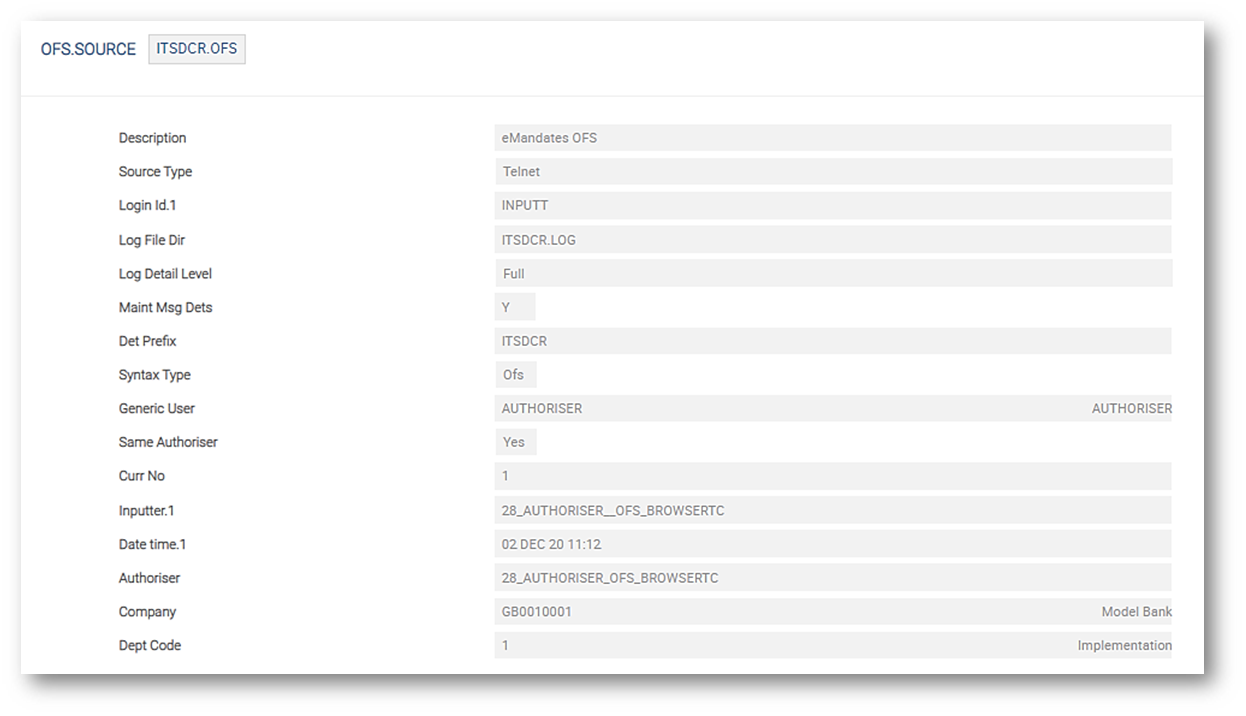
Specific queue names to be created in standalone XML file under jboss\standalone\configuration directory for the generation of messages in the specific queues.
<jms-queue name="t24ITSDCROFSQueue" entries="queue/t24ITSDCROFSQueue java:jboss/exported/jms/queue/t24ITSDCROFSQueue"/>
<jms-queue name="t24ITSDCROFSReplyQueue" entries="queue/t24ITSDCROFSReplyQueue java:jboss/exported/jms/queue/t24ITSDCROFSReplyQueue"/>

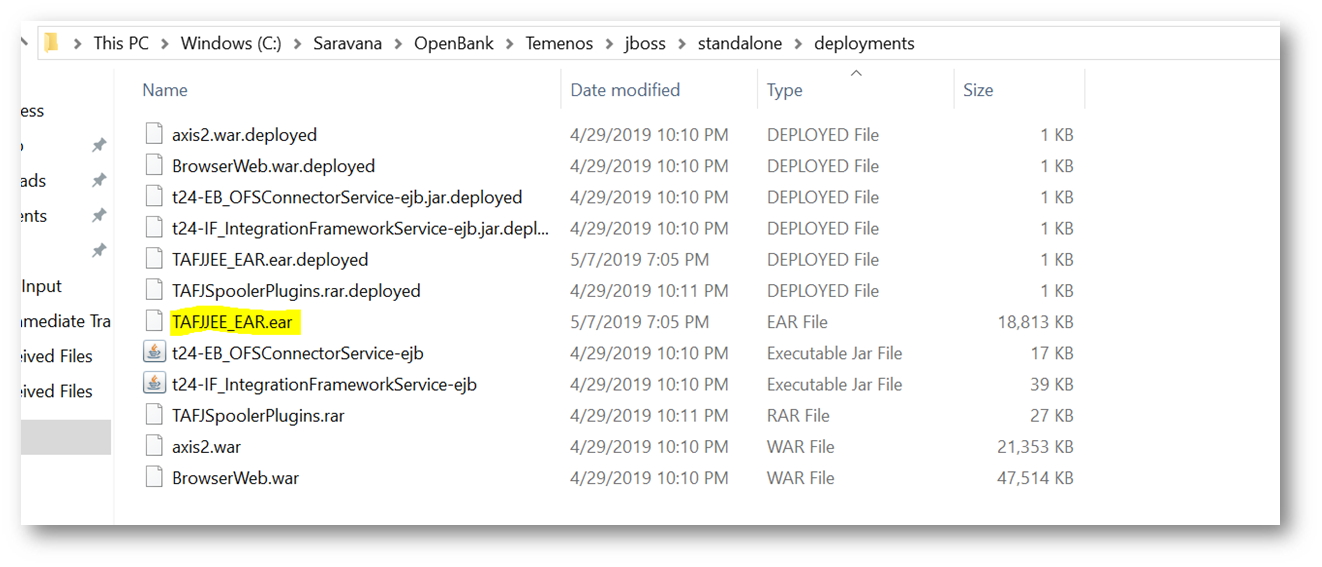
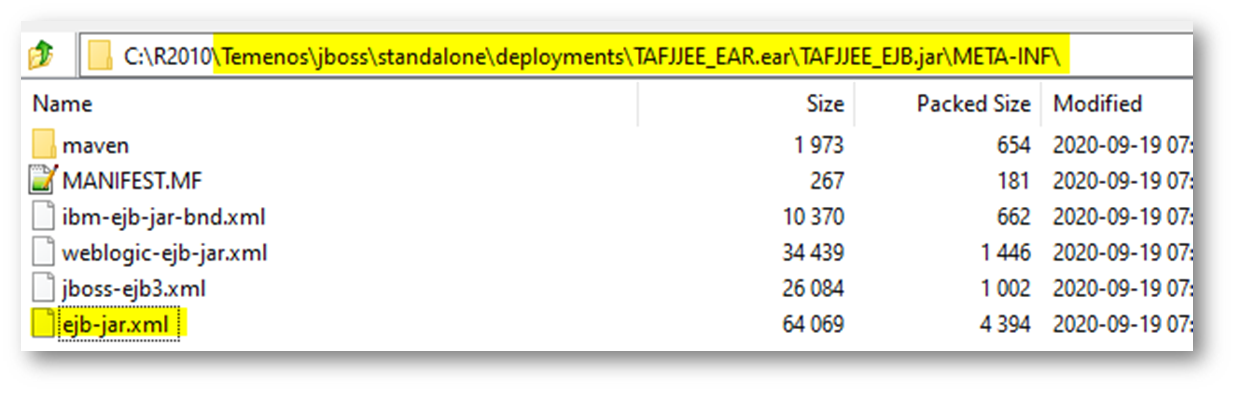
- Edit the TAFJEE_EAR.ear as displayed below.
- To update the OFS source in the TAFJEE_EJB.JAR:
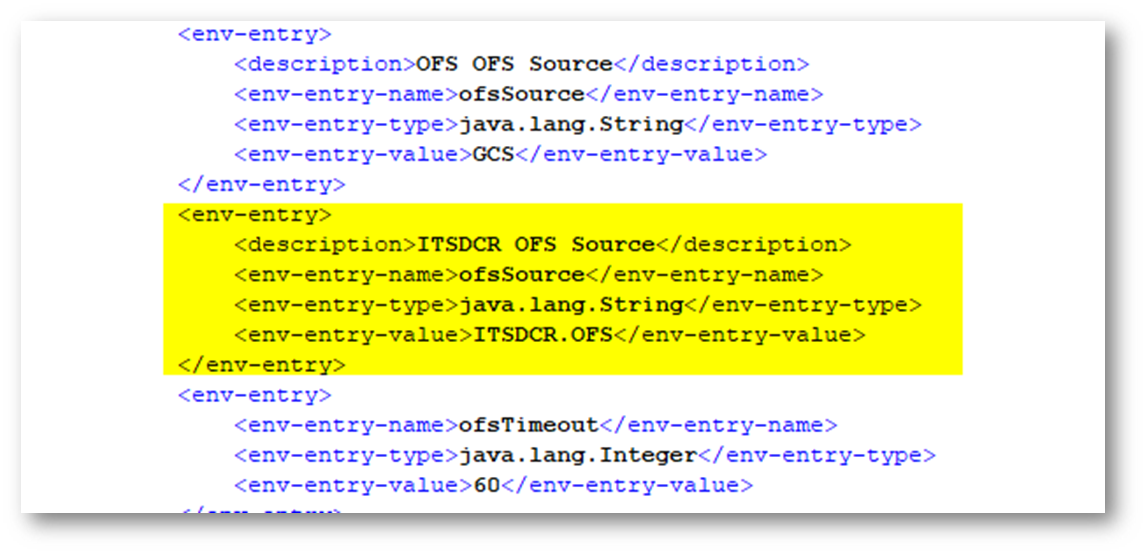
- Add the highlighted lines below in the ejb.jar.xml file.

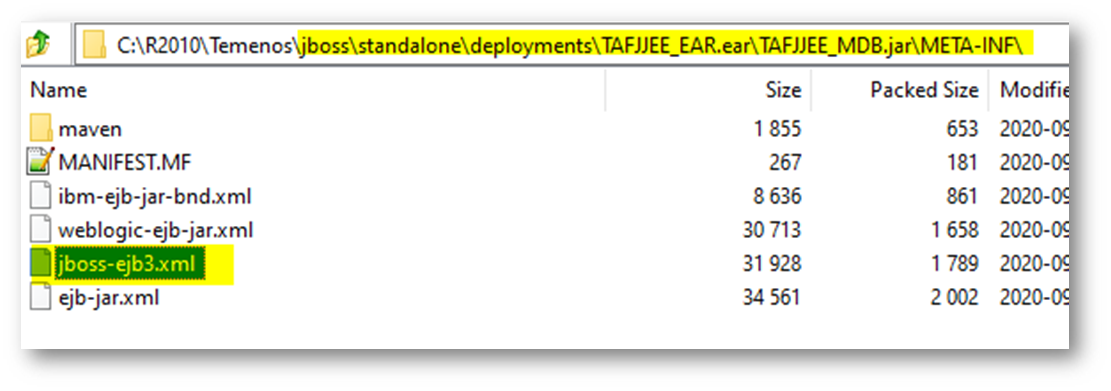
- Edit the details below in the TAFJEE_MDB.jar.
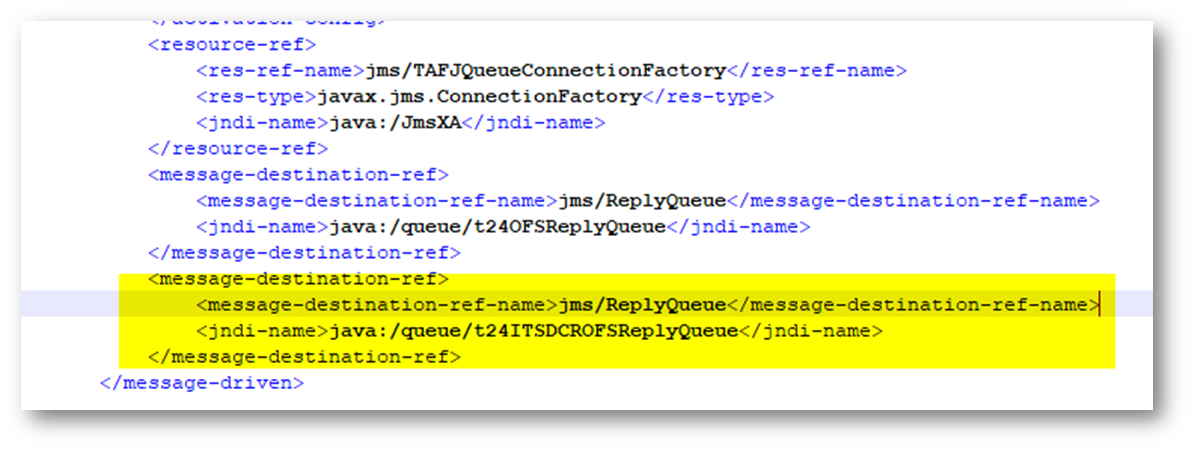
- Add the highlighted lines below in the jboss-ejb3.xml.
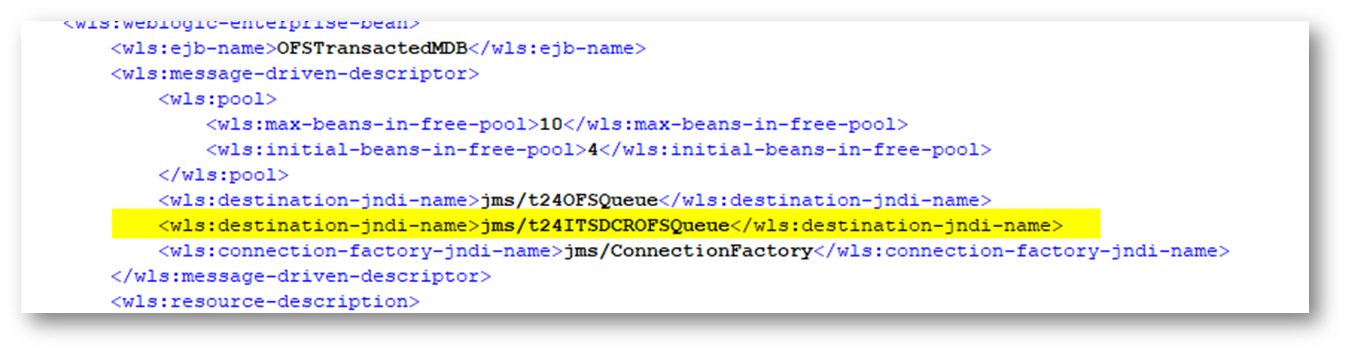
- Add the highlighted lines below in the weblogic-ejb-jar.xml.
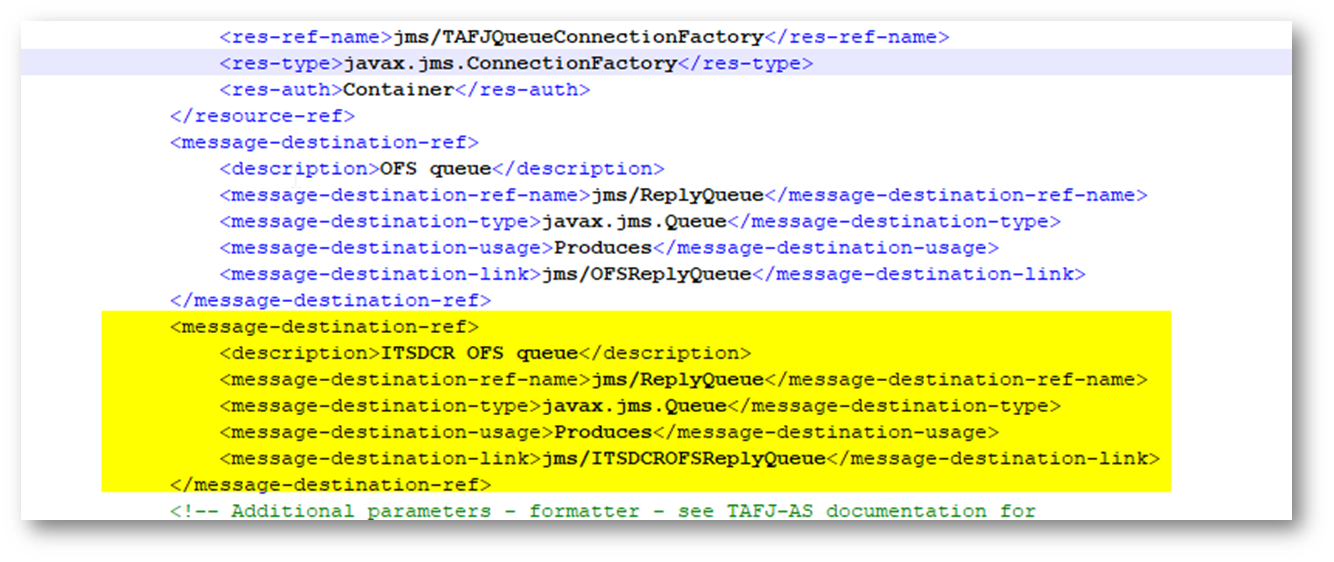
- Add the highlighted lines below in the ejb-jar.xml.
- Restart the Temenos Transact area.
- Now, start with the package as per the installation steps below.
 Installation Steps
- Extract the .zip file.
- In the start.cmd file, set the following details:
- JAVA_HOME variable: points to java jdk location. E.g: C:\java\jdk8\jre.
- PROVIDER variable: contains the queue broker name. It accepts the following values: jboss, ibmmq, activemq, amazonmq, weblogic.
- PORT variable: can be any available port number to be used by the package.
- XSLPATH: path of the XSLT files.
- If the above values are not set, then the following values will be defaulted:
- PROVIDER=jboss.
- PORT=8080.
- XSLPATH=%CD%\xsl\.
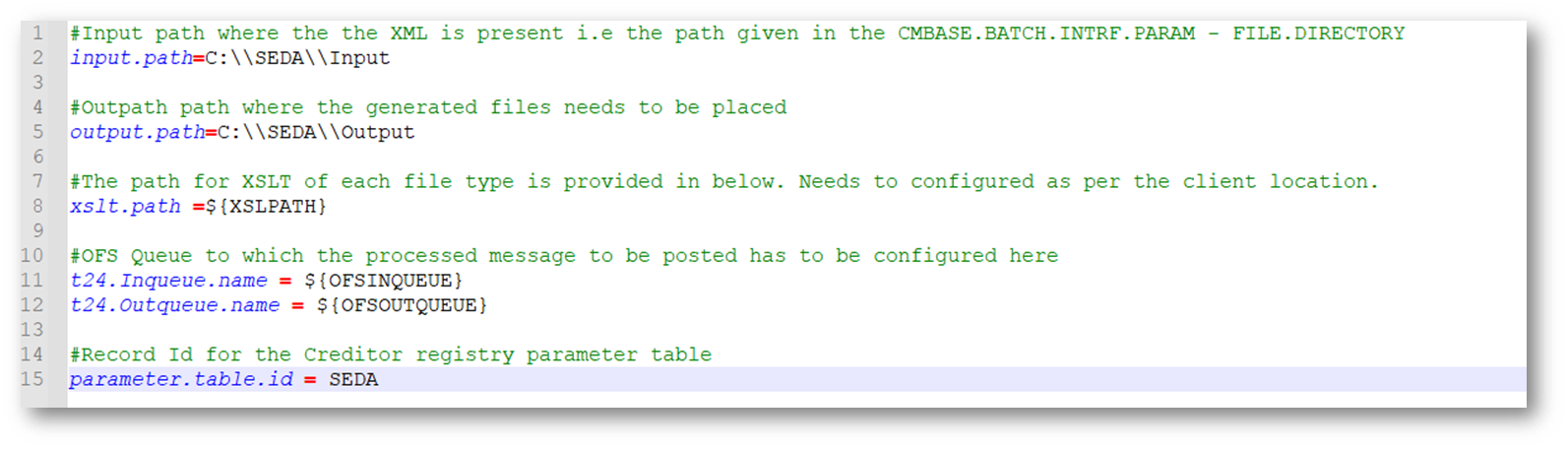
- The items below need to be modified in the application.properties.
- input.path.
- output.path.
- t24.inqueue.name.
- t24.outqueue.name.
NOTE: No changes should be done in the xslt.directory.path.
- Open the respective application properties for the queue broker type and set the JNDI values. EXAMPLE: If the queue broker is jboss, we need to open the application-jboss.properties and set the values.
 Deployment Steps
The following steps need to be done for deployment.
Events Package Deployment
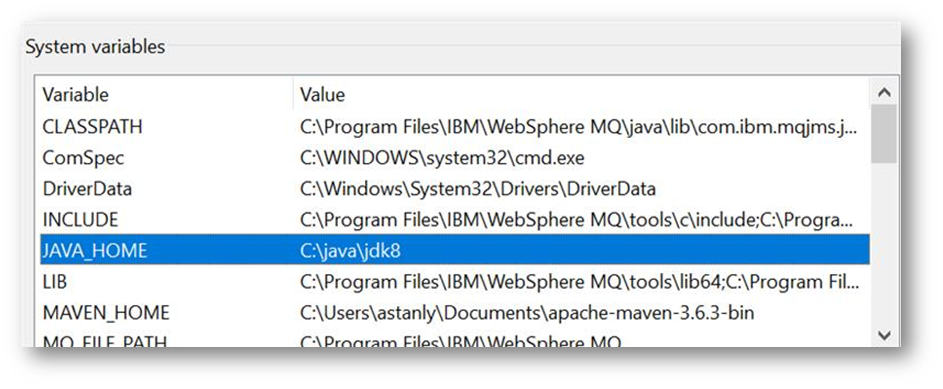
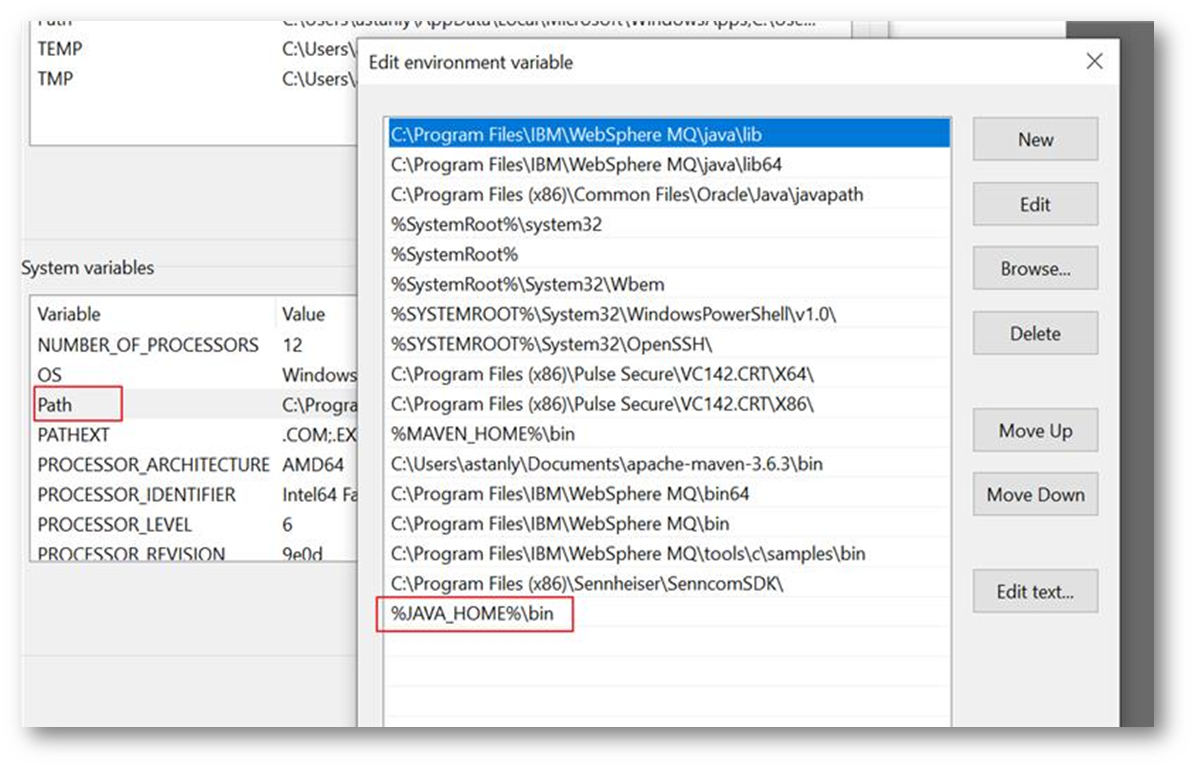
- Configure the environment variables as given below.
- Set JAVA_HOME as displayed below.
- Add the %JAVA_HOME%\bin in the path variable as per the screenshot below.

 Package Deployment
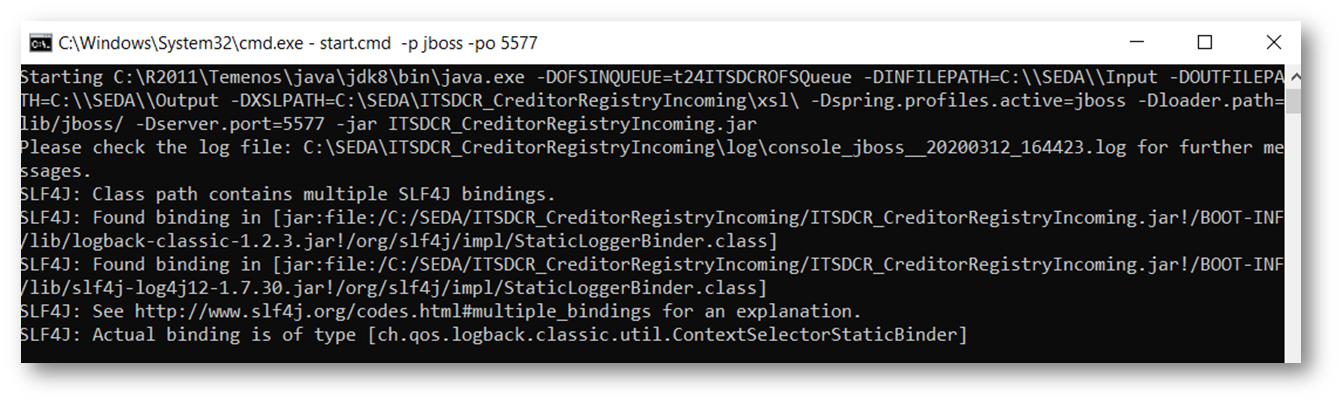
- Open a command window in the extracted package location, and execute the start.cmd command.
- Syntax:
start.cmd [ -p provider ] [ -po port ] [ -xp xslPath ]
EXAMPLE:Start.cmd –p jboss –po 8080 -xp [path]
…\package>start.cmd -p jboss -po 8080
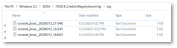
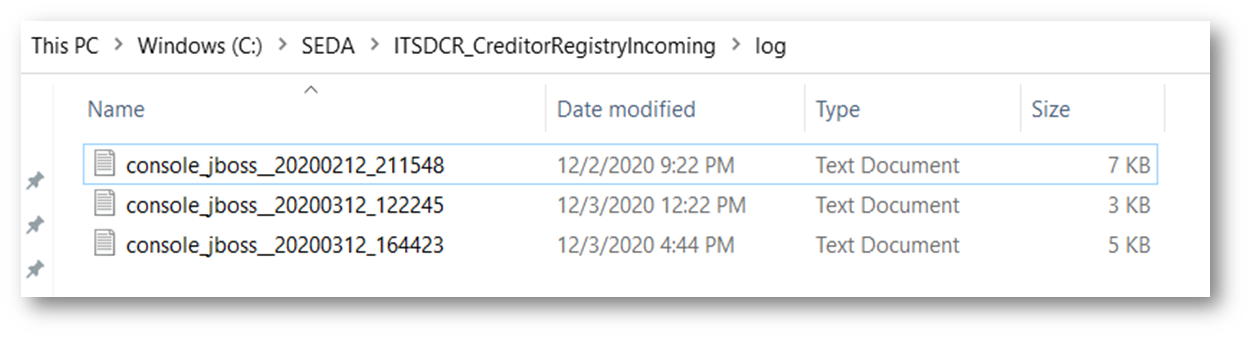
- The logs will generated in the log folder for monitoring purpose. EXAMPLE: …\package\log\ console_[providername]_[datetime].txt
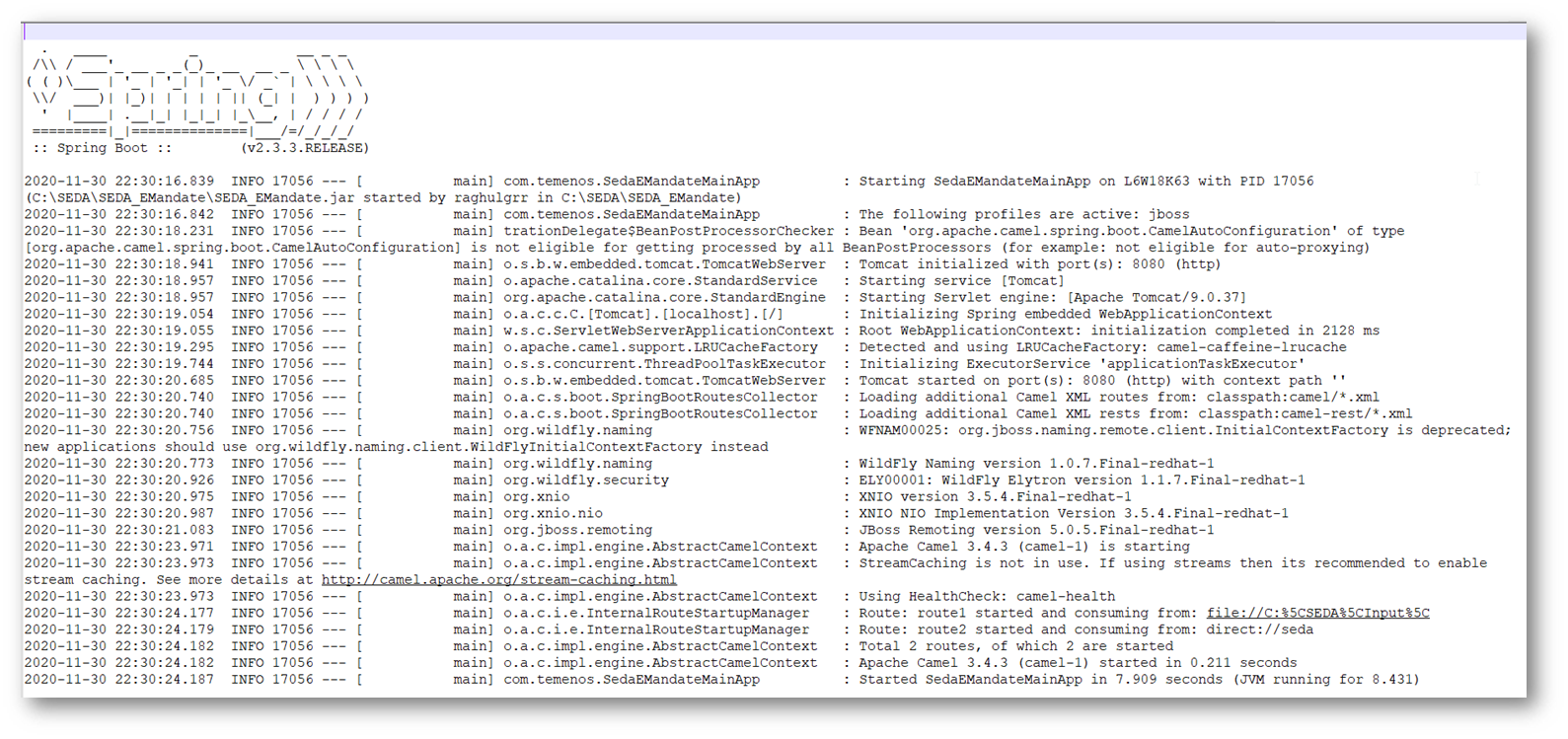 For Linux
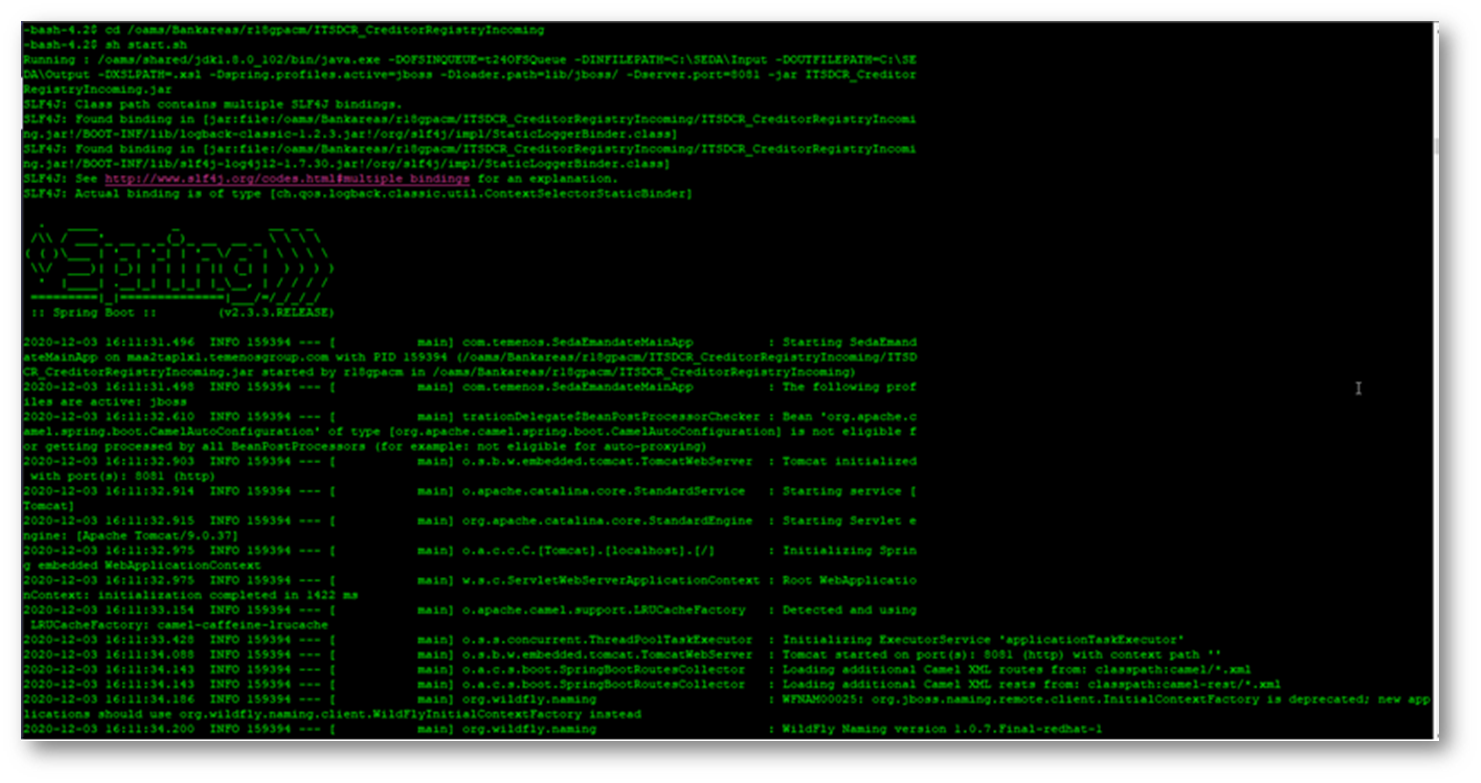
- Go to the part where the zip file is extracted.
- Launch the shell using the sh start.sh command.

In this topic
