Creating an Inflow Designer project
Inflow Designer is used to publish inflows to Transact. Inflow Designer and the Event Designer are now available as a single product, but with different product codes in Transact to enable the functionality of the specific designer.
This plugin is available as part of Design Studio and as a standalone plugin that can be installed in Eclipse.
See the Appendix for details of schemas used by various types of request.
Procedure
-
In either Design Studio or the Elipse, switch to Integration Studio Perspective.
-
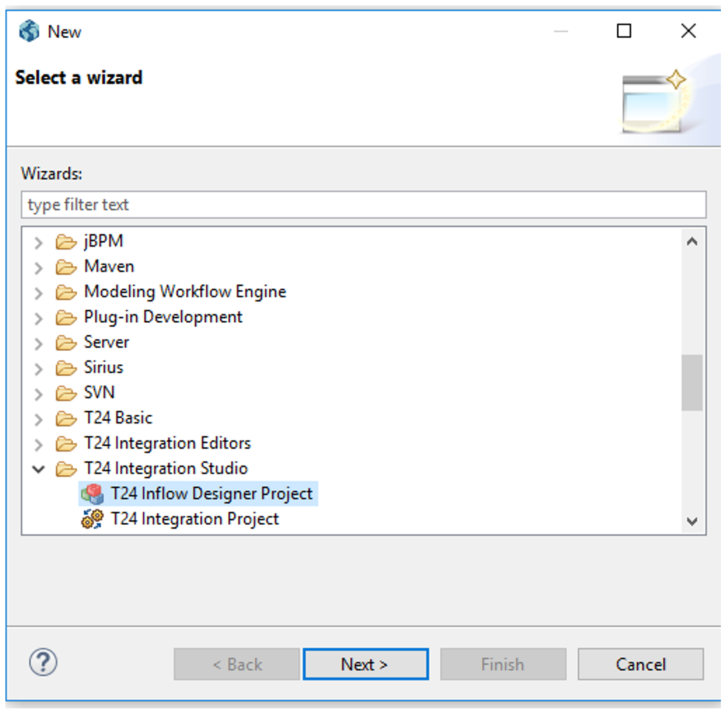
From the File menu, select New and then Other.
-
In the pop-up window, select Inflow Designer-Project and click Next.

-
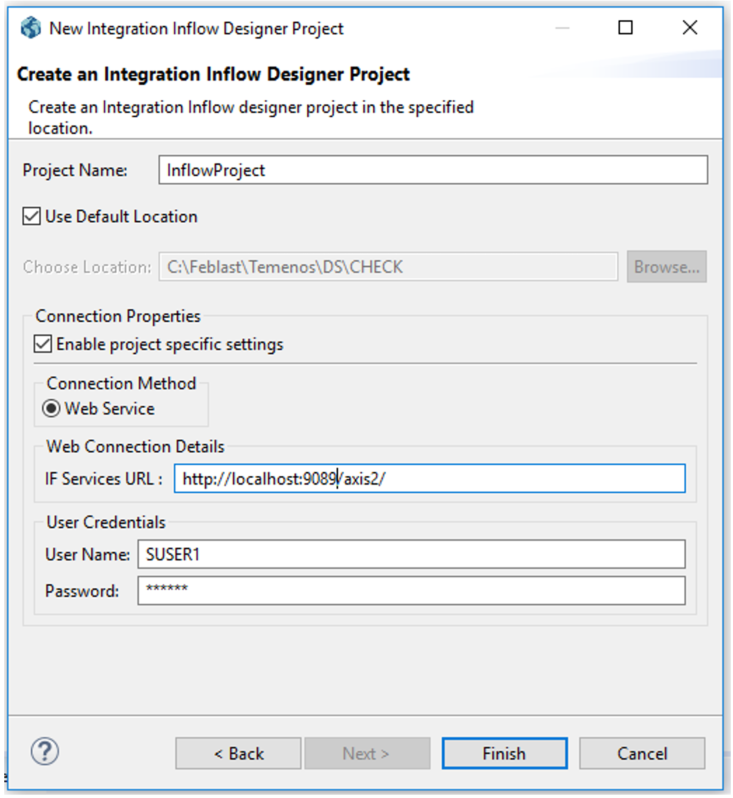
Specify the Project Name, Axis URL and login credentials.
 NOTE:
NOTE:t24-IF_InflowService-tafj-jws.aar needs to be packaged in axis2.war and deployed in the application server. Refer to the Component Service User Guide for more information.
-
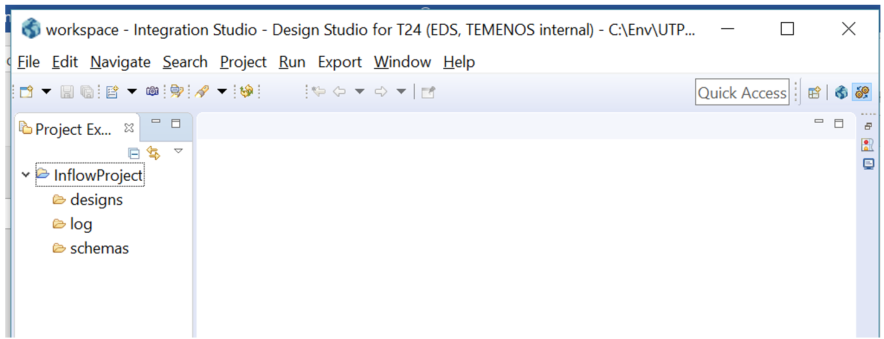
Click Finish to create the project.
-
The inflow project contains by default three folders: designs, schemas and logs. These are used to store the designed inflows, the published schemas and the published logs.
In this topic
