Creating a Profile
Before you begin with the WebSphere configuration, you need to create a new profile by using the tool %TAFJ_HOME% \appserver\was\ createStandalone.bat.
Setting up Prerequisites
Procedure
- Start the server to run a jython script and ensure your path has the following setup:
- %WAS_HOME%\bin is the path to your websphere\bin directory.
- %TAFJ_HOME%\appserver\was\jython is the path to the jython files.
- Edit the setUpEnv file and set the following properties:
- set WAS_HOME= C:\IBM\WebSphere\AppServer
- set HOST_NAME=localhost
- set PROFILE_NAME=AppSrv01
- set NODE_NAME=%PROFILE_NAME%Node01
- set CELL_NAME=%NODE_NAME%Cell
- set SERVER_NAME=server1
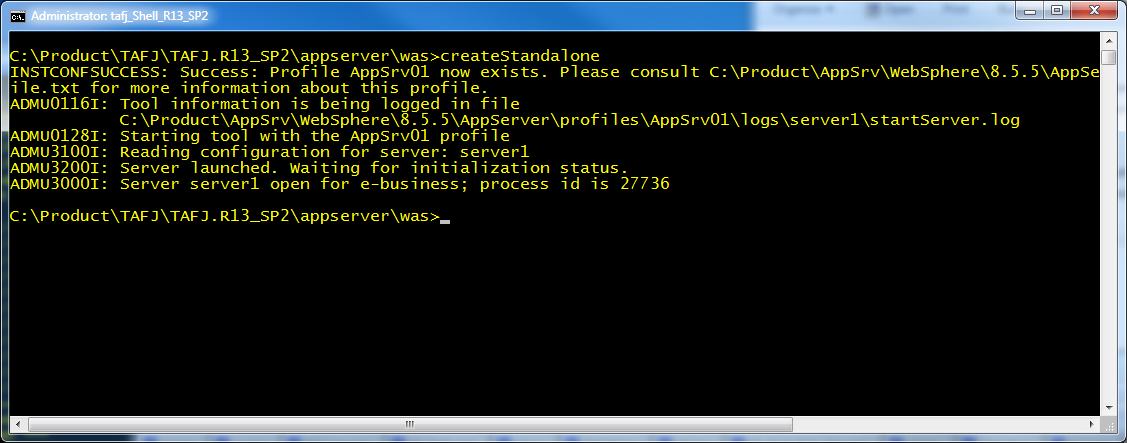
- Launch createStandalone.bat. This will create the targeted profile in your WAS_HOME\profiles directory.
- Edit the createStandalone file and choose the enableAdminSecurity parameter to add it at the end of the command to the scripts:
- enableAdminSecurity false or
- enableAdminSecurity true -adminUserName tafj -adminPassword tafj
- Launch createStandalone.
In this topic
