Troubleshooting
This section shows the errors that you may get while working with WebSphere application server and how to fix these errors.
Fixing WebSphere Classloading Issue
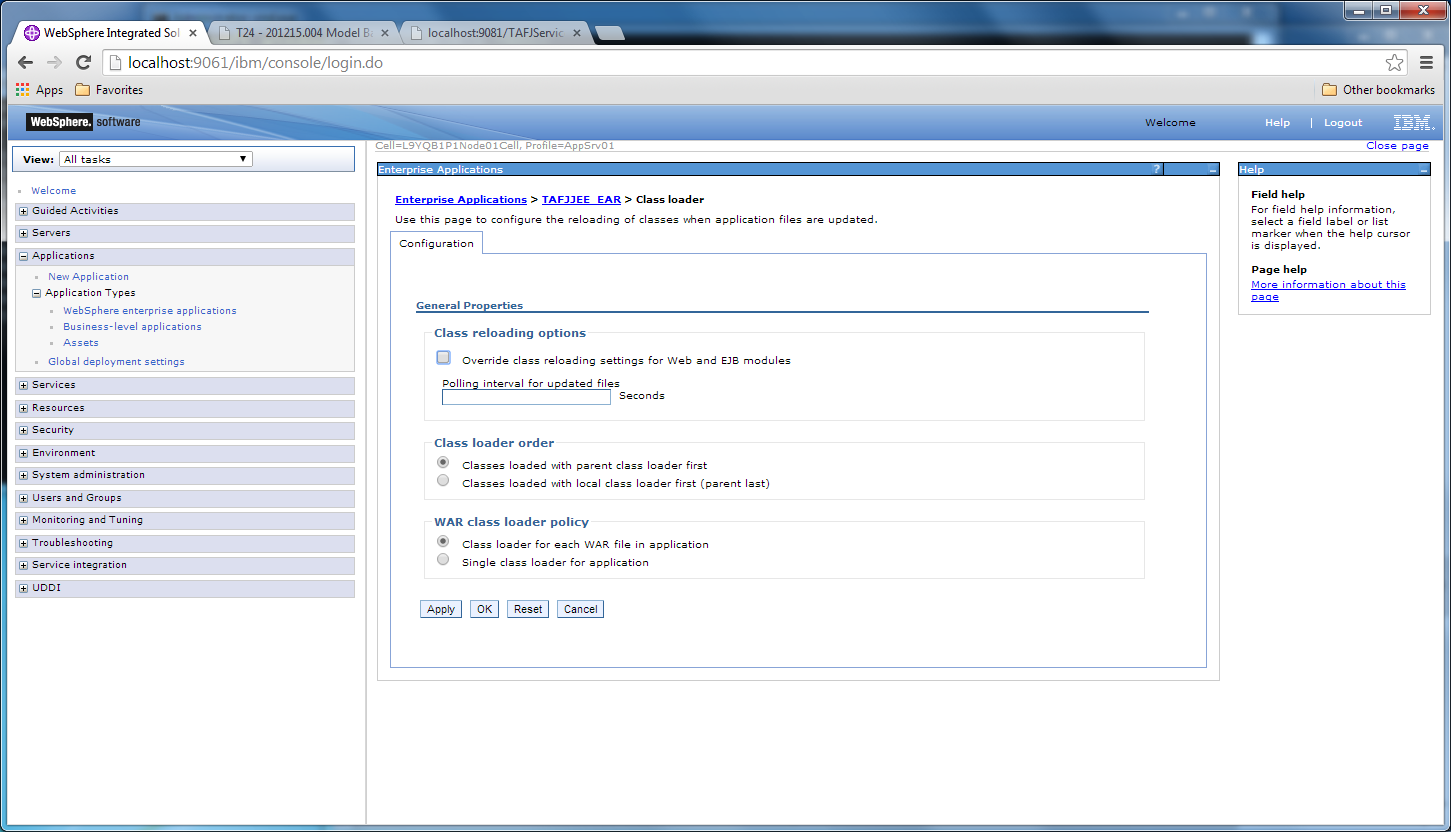
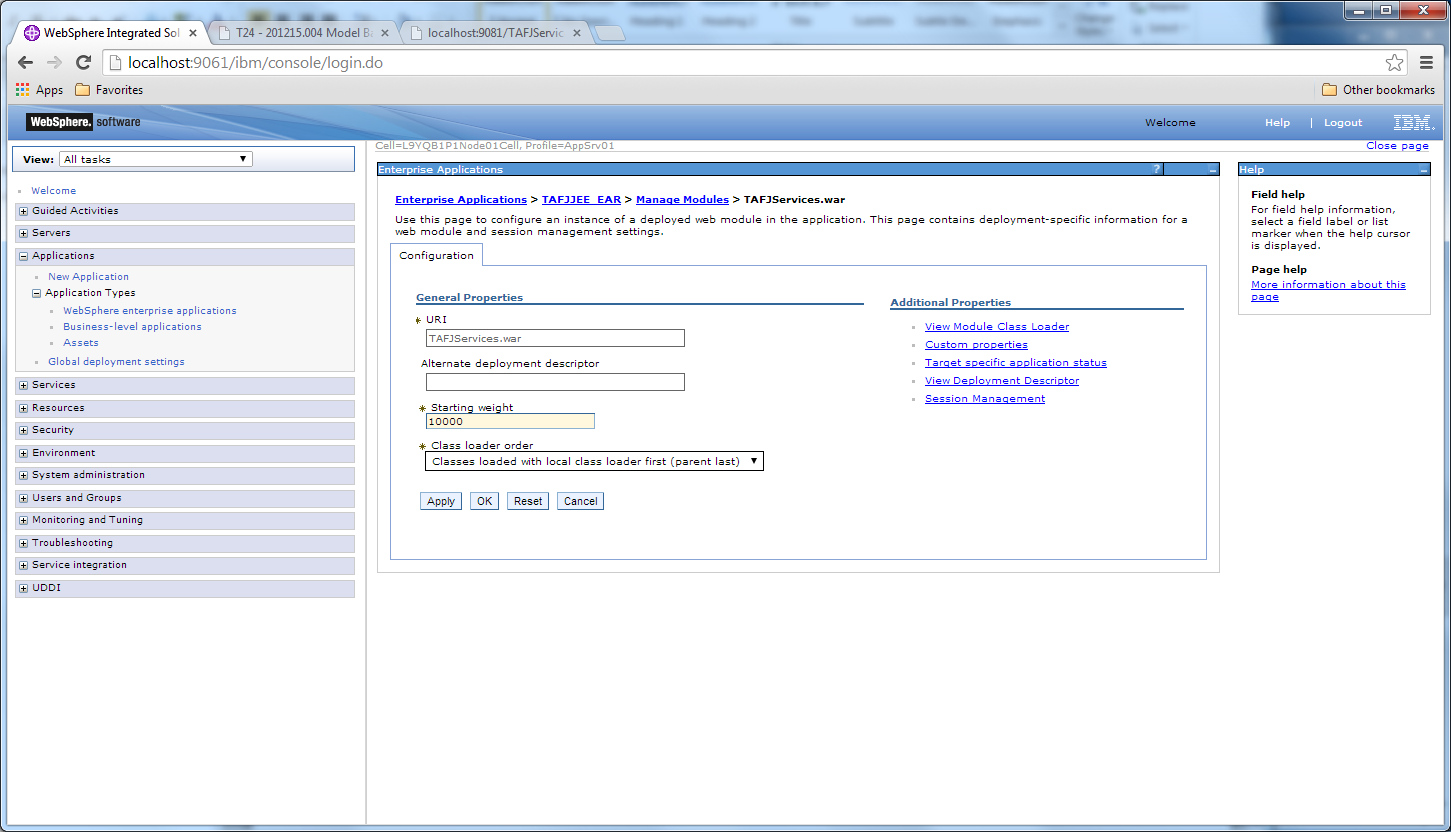
To avoid websphere classloading issue as websphere uses internally axis, a specific classloading policy should be applied for the WAR class loader policy of TAFJJEE_EAR.
Procedure
- Select Class loader for each WAR file in application.
- Select Classes loaded with local classloader first (parent last).
- Click OK.
For the TAFJServices.war module, axis libraries have to be loaded from the application and not from WebSphere libraries.
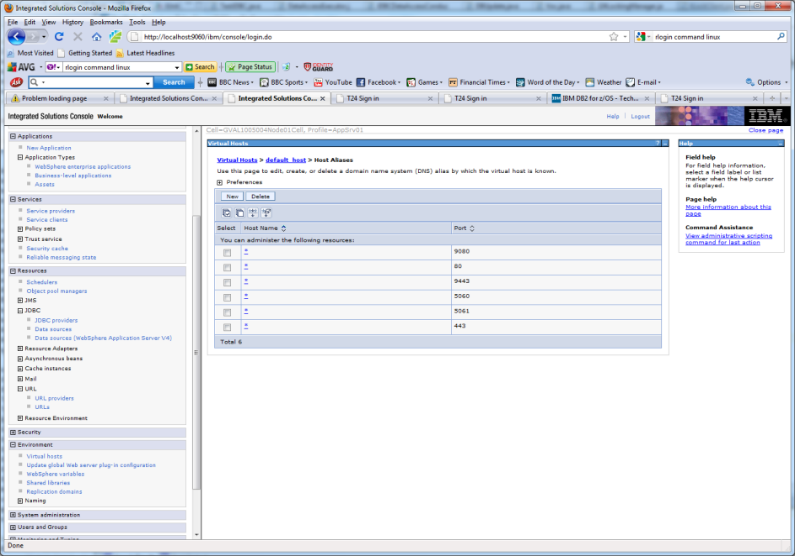
Browser Port
It is the first check box in the example below. In this case, the browser servlet is available in 9080.
WebSphere Kills Threads with Temenos Transact Code Sleep
Go to Application Servers > server > Custom properties (under Administration) > New and specify the following:
- Name: server_region_stalled_thread_threshold_percent
- Value: 100
WebSphere with J2CA0081E
This scenario shows that your method cleanup failed while trying to execute method cleanup on ManagedConnection.
Your threads are sharing connections. You want a dedicated connection per thread. This property has no effect for Oracle on windows, or DB2 on windows.
Go to Datasources > Your datasource name > custom properties and add the following property:
- Name: globalConnectionTypeOverride
- Value: unshared
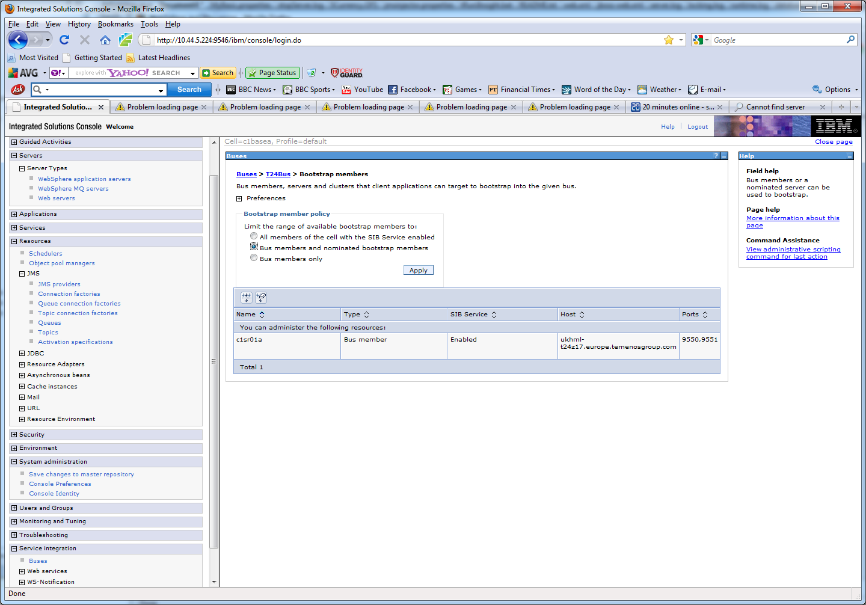
Default Messaging Port of the connection factory for T24Bus
Go to Buses > T24Bus > Bootstrap members. This allows you to connect with a JMS client.
In this topic
