Using One Step Configuration
You can run all configurations such as environment configuration, JMS configuration, JDBC configuration, application deployments for Temenos Transact and TAFJ by using a single script or by doing a one-step at a time.
For deployment, you need to configure:
- Environment variables and shared libraries (TAFJ and Temenos Transact libraries)
- JMS resources (Communication channels between applications)
- JDBC data sources (Database connectivity)
- Applications deployment (TAFJ ear file, BrowserWeb …)
The tafj.py file contains the variables that are needed at each configuration step. For more information about these variables or if you want to adapt the scripts to your specific use case, then see the next section of this guide.
The below assumes you are using a local Oracle database with database name TAFJDB and no MQ Series message broker. If you want to use another database or MQ, then specify the following properties in tafj.py and modify the T24Setup.py file appropriately:
############################################################
# Node details
#
cell_name="AppSrv01Node01Cell"
node_name="AppSrv01Node01"
server_name="server1"
############################################################
# Path details
#
tafjHome="D:\Temenos\Reference\Temenos\TAFJ"
t24Home="D:\Temenos\Reference\Temenos\T24\lib\t24lib"
############################################################
# database details
#
dbDriver="h2_1.3.175"
dbHostName="localhost"
dbPort="[port]"
dbName="T24"
dbUser="mbtafj"
dbPwd="mbtafj"
#dbROHostName="[hostname]"
#dbROPort="[port]"
#dbROdbName="[sid]"
#dbROdbUser="[user]"
#dbROdbPwd="[password]"
############################################################
# database oracle specific
#
#use xdb.jar for Oracle 11g
#use xdb6.jar for Oracle 12c
#
oracleXDBjarName="xdb.jar"
############################################################
# database db2 specific
#
#use type 4
#use type 2
#
dbDriverType="4"
############################################################
# Browser details
#
# path of your BrowserWar file
browserWebHome="D:\Temenos\Reference\3rdParty\as\jBoss\jboss-4.2.3.GA\server\T24\deploy"
############################################################
# MQ Details details
#
# DO NOT PUT "localhost" but the IP for MQ!
mqManager="MQT24"
mqServerName="[IP]"
mqPort="1414"
mqChannel="T24Channel"
Multiple Profiles
If you have, multiple profiles defined and if you want to execute the scripts against a profile, which is not the default one, then you will have to add the profile name to the command below.
-profileName %PROFILE_NAME%
Enabling Security
Procedure
- Execute the script by enabling the admin console security. This will allow you to enter the admin user name and password through:
- System prompt
- The -user %ADMIN_USER_NAME% -password %ADMIN_USER_PASSWORD% command.
You can find the script of the complete configuration at %TAFJ_HOME% \appserver\was\jython\T24Setup.py.
- Edit the T24Setup.py file. Comment and uncomment as per the needs:
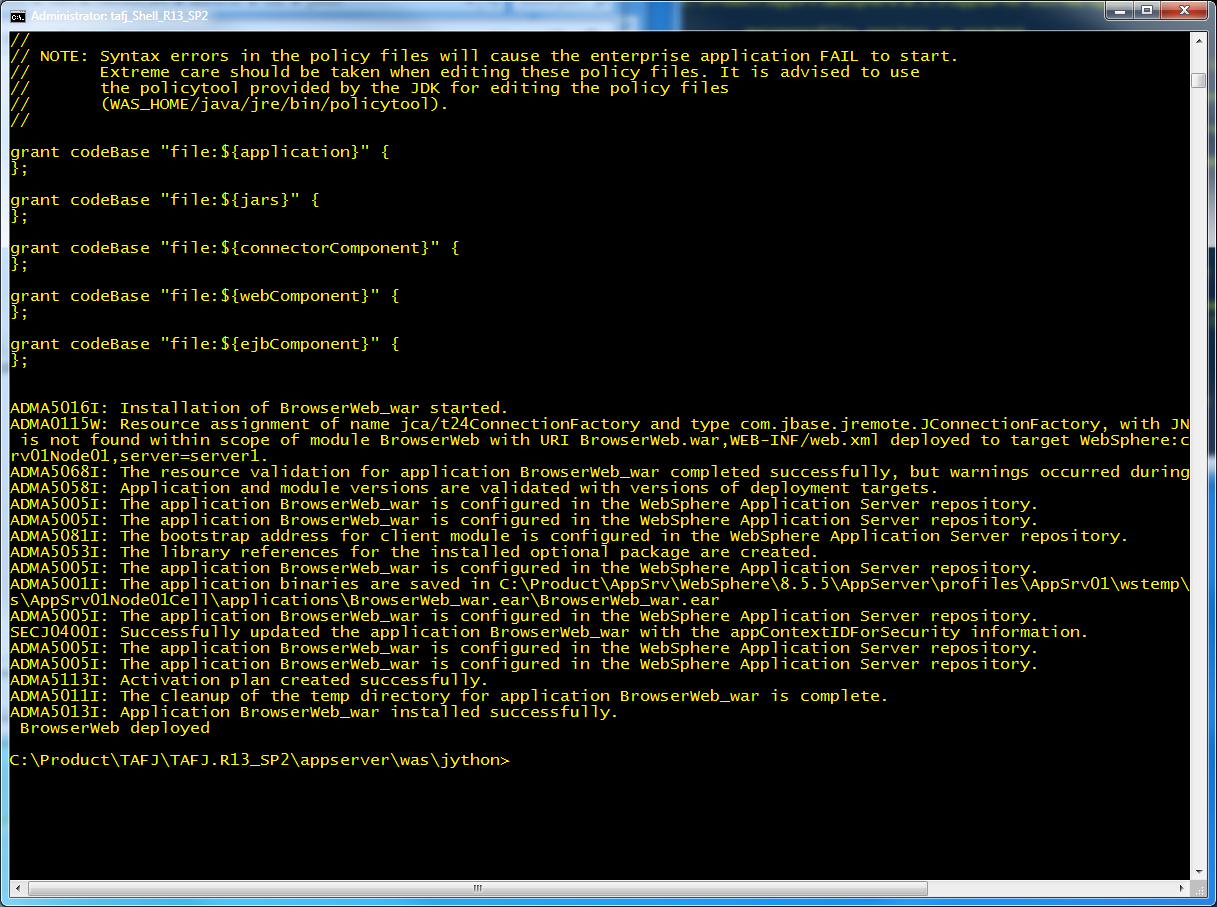
print "Setup Environment" execfile('environmentConfiguration.py') print "JMS Environment" execfile('jmsConfiguration.py') #or #execfile('mqConfiguration.py') print "Setup Database" execfile('ORACLEConfiguration.py') #or #execfile('DB2Configuration.py') #or #execfile('MSSQLConfiguration.py') #or #execfile('H2Configuration.py') print "Setup TAFJ EE (MDB & EJB)" execfile('TAFJapplicationDeployment.py') print "Setup Browser" execfile('T24applicationDeployment.py') - Launch the following command from %TAFJ_HOME%\appserver\was\jython dir on the command line for one step installation:
%WAS_HOME%\bin\wsadmin -lang jython -f T24Setup.py -profileName %PROFILE_NAME%
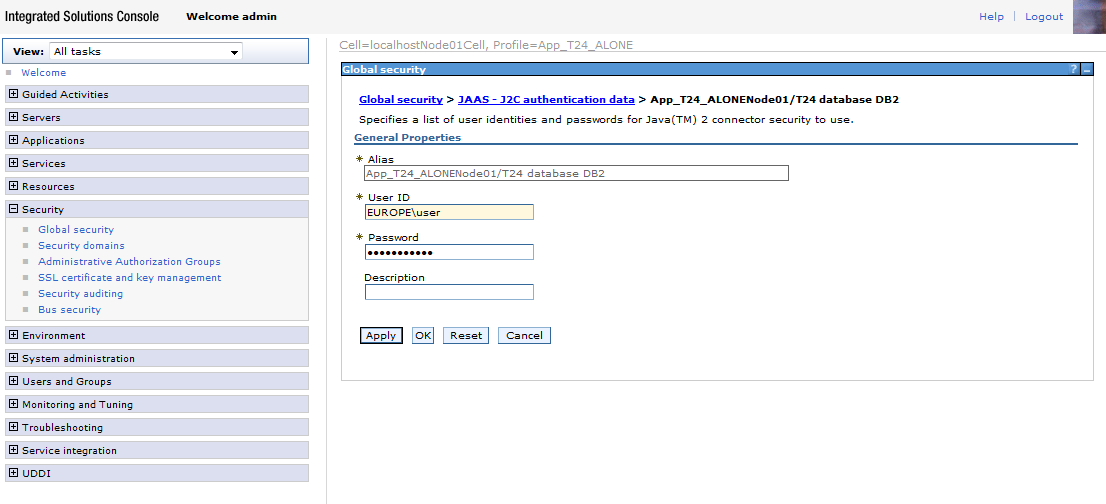
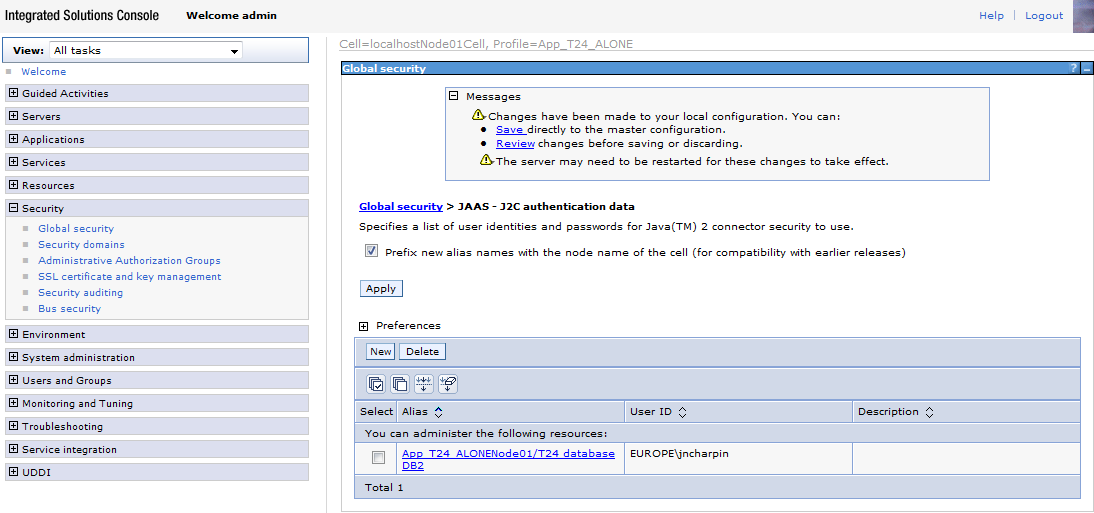
- Click Security > Global security > Java Authentication and Authorization Service > J2C authentication data >Temenos Transact database DB2.
- Specify the Alias, User ID and Password. Click OK.
- Select the Prefix new alias name with the node name of the cell (for compatibility with earlier releases) check box.
- Click Apply and Save.
In this topic
