Installing Generic Configuration Microservices in Azure
This section helps you to install the Generic Configuration Microservice into Azure cloud.
Procedure:
- Create the CONFIG_SERVICE_HOME directory.
- Extract the ms-genericconfig-package-azure-<release>.zip release bundle file into the CONFIG_SERVICE_HOME directory.
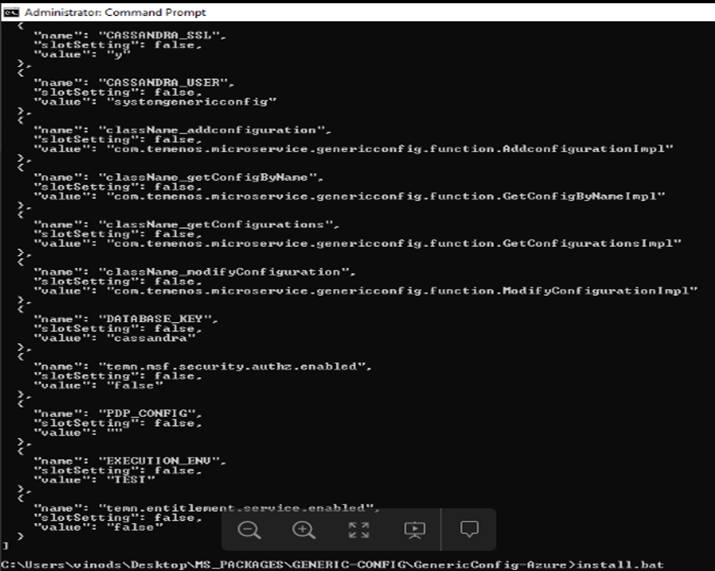
- To make the microservice up and running, execute the following command to create AZURE resources.
- Windows: Install.bat
- Linux: Install.sh

- Verify Generic Config Microservice:
- Verify get configuration by name API.
Name
Detail
URI
/system/configurationGroups/{groupId}/configuration/{configName}
Method
GET
Sample-URL
https://genericconfigapp.azurewebsites.net/api/v1.0.0/system/configurationGroups/SECURITY.POLICY/configuration/default
Sample-Response
[{ "message": "Configuration file does not exists:", "code": "404" }] - Verify get all configurations API.
Name
Detail
URI
/system/configurationGroups/{groupId}/configuration
Method
GET
Sample-URL
https://genericconfigapp.azurewebsites.net/api/v1.0.0/system/configurationGroups/SECURITY.POLICY/configuration
Sample-Response
[{
	"message": "Configuration file does not exists:",
	"code": "404"
}]
- Verify get configuration by name API.
- To stop and remove the existing resources, execute the following command.
- Windows: Destroy.bat
- Linux: Destroy.sh
Import policy into configuration server:
- Value of {groupId} path parameter should be always SECURITY.POLICY
- Value of {configName} path parameter should be policy ID
- Value of id field should be policy ID
- Value of data field should be Base64 encoded
- Policy files are available under the HOLDINGS_SERVICE_HOME directory
- To add a policy file into generic-config database, the following described API should be used.
Name
Detail
URI
/system/configurationGroups/{groupId}/configuration/{configName}
Method
POST
Sample-URL
https://genericconfigapp.azurewebsites.net/api/v1.0.0/system/configurationGroups/SECURITY.POLICY/configuration/BalanceViewer
Sample-Payload
{
	"id": "BalanceViewer",
	"name": "BalanceViewer policy file",
	"version": "1.0.0",
	"configData": {
		"data": "PD94bWwgdmVyc2lvbj0i",
		"configType": "xml"
	}
}
Sample-Response
{ "id": "BalanceViewer", "name": "BalanceViewer policy file", "version": "1.0.0" } - To modify a policy file available in generic-config database, the following described API should be used.
Name
Detail
URI
/system/configurationGroups/{groupId}/configuration/{configName}
Method
PUT
Sample-URL
https://genericconfigapp.azurewebsites.net/api/v1.0.0/system/configurationGroups/SECURITY.POLICY/configuration/BalanceViewer
Sample-Payload
{
	"version": "1.0.0",
	"configData": {
		"data": "PD94bWwgdmVyc2lvbj0i",
		"configType": "xml"
	}
}
Sample-Response
{
	"id": "BalanceViewer",
	"name": "BalanceViewer policy file",
	"version": "1.0.0"
}
In this topic
